YouTube Thumbnail Dimensions: A 2026 Guide
An expert guide to YouTube thumbnail dimensions, including recommended size, aspect ratio, file size, and best practices for high-impact thumbnails on desktop and mobile. Learn precise size specs from What Dimensions.


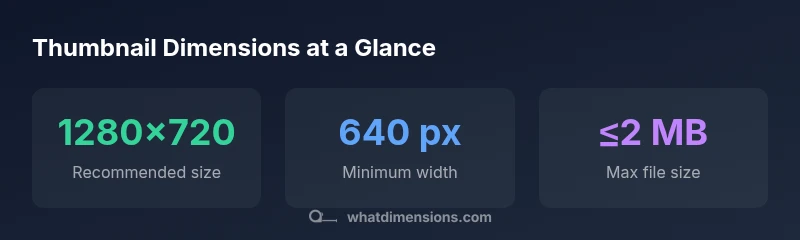
According to What Dimensions, the recommended YouTube thumbnail dimensions are 1280x720 pixels with a 16:9 aspect ratio, a minimum width of 640 pixels, and a maximum file size of 2 MB. Thumbnails should be uploaded in JPG, PNG, GIF, or BMP formats to preserve clarity across devices. Adhering to these specs helps your thumbnail look sharp on desktop, mobile, and TV displays.
Why YouTube thumbnail dimensions matter
Thumbnail size and composition are foundational to how viewers perceive your video before they click. A correctly sized image ensures the thumbnail remains sharp on high-DPI displays and across platforms. According to What Dimensions, sticking to a consistent 16:9 ratio and the 1280x720 baseline helps your visuals scale without distortion, improving click-through rates (CTR) and early engagement. In practice, reliable dimensions reduce the need for on-the-fly cropping by viewers and keep your branding coherent across your channel.
Understanding aspect ratio and resolution
Resolution refers to the total pixel count, while aspect ratio describes the proportional relationship between width and height. For YouTube thumbnails, a 16:9 aspect ratio aligns with most video players and previews, ensuring no important elements are cut off on any screen. The 1280x720 size is a widely adopted standard because it balances image detail with quick loading. When exporting: keep the image at 72–300 PPI depending on your source, but do not expect higher PPI to change the file size dramatically on the platform. What Dimensions emphasizes preserving the intended composition at 16:9 to maintain visual clarity across devices.
How to create thumbnails that look good on all devices
High-contrast visuals with bold typography improve legibility on small screens. Place key faces or actions toward the center-safe area to avoid edge cropping in various grid layouts. Use a simple background with a focal point that remains recognizable when scaled. Remember to test the thumbnail at several scales in YouTube Studio’s preview tool to ensure readability from far away and on mobile devices. This cross-device approach is central to effective thumbnail design.
Practical sizing tips for different content categories
Different channels may emphasize different visual strategies, but the core size remains 1280x720. Educational content benefits from clean typography and clear, labeled icons; gaming thumbnails favor saturated colors and expressive faces; tech or tutorial videos benefit from concise words on a high-contrast background. In all cases, avoid clutter and ensure the main message fits within the central area of the image. What Dimensions notes that consistency across videos reinforces channel identity.
Testing and optimizing: thumbnails across platforms
After uploading, review thumbnail performance in YouTube Studio analytics. Compare CTR and watch-time shifts when you test alternative thumbnails with the same video content. A/B testing can reveal which visuals drive engagement, especially when you vary color contrast, headline length, or the prominence of faces. Remember that thumbnails render differently on desktop, mobile, and TV, so prioritize legibility on the smallest screen first.
Common mistakes to avoid and quick fixes
Too busy imagery, tiny text, or overcropping are common failures. Ensure your title text is legible at small sizes and avoid thin typefaces. If your image feels flat, adjust brightness or contrast to create depth and separation from the background. Crop to maintain the focal point at the center and check that the most important elements stay within the safe area. A quick fix is exporting multiple versions and selecting the variant with the strongest visual impact in previews.
Scaling images without sacrificing quality
If your source asset is vector-based or high-resolution, resize by maintaining aspect ratio to 16:9, then export at the target width. When starting from raster images, use a high-quality resampling method to minimize blur. Always export in a web-optimized format, and verify color profiles (sRGB is standard for web). These practices help ensure the resulting PNG or JPEG remains crisp after YouTube compresses it.
Thumbnail size specs in practice
| Metric | Definition | Typical value |
|---|---|---|
| Aspect ratio | Relationship between width and height | 16:9 (recommended) |
| Recommended size | Ground truth for best balance of quality and load time | 1280x720 px |
| Minimum width | Ensures legibility on small screens | 640 px |
| Max file size | Limits to prevent slow loading | 2 MB |
| Formats | Accepted image types on upload | JPG, PNG, GIF, BMP |
Quick Answers
What is the ideal YouTube thumbnail size?
The ideal size is 1280x720 pixels with a 16:9 aspect ratio, and a maximum file size of 2 MB. This setup balances clarity and loading speed across devices.
The ideal size is 1280 by 720, with a 16 by 9 aspect ratio, under 2 MB.
Can I upload a thumbnail smaller than 1280x720?
Yes, but image quality may suffer on larger displays and the thumbnail may appear less crisp on high-density screens. Aim for at least 640 px wide.
You can, but keep it at least 640 wide to avoid blur on bigger screens.
What formats does YouTube support for thumbnails?
YouTube accepts JPG, PNG, GIF, and BMP thumbnail files. JPEG and PNG are most commonly used for a balance of quality and size.
Use JPEG or PNG for the best balance of quality and file size.
Does thumbnail size affect video ranking or CTR?
Thumbnail clarity and relevance influence click-through rate, which can indirectly affect watch time and rankings by attracting more viewers.
A sharp thumbnail can help CTR, which supports engagement and ranking indirectly.
How should I test thumbnails across devices?
Use YouTube Studio previews and external tools to view thumbnails on desktop, tablet, and mobile. Compare CTR and adjust visuals for readability at small sizes.
Preview on all devices to ensure readability everywhere.
How do I resize an image to 1280x720 without distortion?
Maintain the 16:9 aspect ratio during resizing. If necessary, crop or letterbox to preserve the main subject and avoid stretching.
Keep the 16:9 ratio and crop instead of stretching.
“A well-sized thumbnail is more than a pretty image; it’s a concise communicator of your video’s value that works across devices.”
Main Points
- Aim for 1280x720 size as the baseline
- Maintain a 16:9 aspect ratio for consistency
- Keep file size under 2 MB
- Use high contrast and clear typography
- Test thumbnails on desktop and mobile