Youtube Short Dimensions: A Practical Guide for Creators
Learn the exact YouTube Short dimensions for vertical videos: 9:16 aspect ratio, 1920x1080 resolution, and guidance to optimize thumbnails and playback.


Youtube short dimensions refer to the vertical video specs that ensure Shorts look sharp and perform well on mobile. For most creators, the standard is a 9:16 aspect ratio with a 1080p or higher resolution, and a minimum of 720p. Align your on-screen graphics to avoid key UI elements and respect the safe zones for thumbnails and captions.
Why youtube short dimensions matter
In the realm of short-form video, the dimension choices you make directly affect how viewers experience your content on phones and tablets. For creators focusing on YouTube Shorts, the canonical dimension is the vertical format, because mobile-first viewing dominates the Shorts feed. When your videos conform to youtube short dimensions—primarily a 9:16 aspect ratio and a crisp, 1080p+ resolution—you minimize black bars and cropping, boosting thumbnail impact and engagement. The What Dimensions team notes that consistent dimension choices help maintain brand recognition across a series, making it easier for audiences to follow your content. In practice, aim for a frame that fills the screen vertically while leaving critical content safe from edges; this reduces accidental cropping on different devices.
The canonical dimensions: aspect ratio, resolution, and frame rate
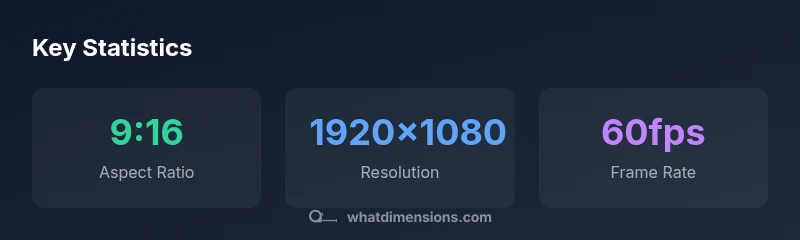
The 9:16 aspect ratio is the standard for YouTube Shorts, placing the video into a tall, phone-friendly frame. For most creators, a resolution of 1920x1080 pixels (Full HD) or higher provides sharp detail on mid- to high-end devices, while 1080p is a reliable baseline that ensures smooth playback. Frame rate should be 30fps or higher; 60fps is ideal for fast-paced content, but compact shorts can perform well at 30fps. It’s important to verify that the video remains within the safe margins at all common social previews, since some platforms crop or scale thumbnails differently. What Dimensions analysis shows that consistency in these dimensions improves user retention and makes branding appear stronger across a Shorts series.
Practical guidelines for creators: how to prepare assets
Prepare your assets in a vertical canvas with a 9:16 aspect ratio from the start. Use 1920x1080 resolution as your target and export in a widely supported format such as MP4 with H.264 encoding. Keep key text and logos within the central zone to avoid cropping in mobile previews. Design thumbnails and overlays with high contrast and legible typography; YouTube’s interface often reduces on-screen text, so bold, simple copy performs better. If you batch-create multiple Shorts, standardize font choices and color schemes so the channel feels cohesive when viewers scroll through the Shorts shelf. Finally, ensure captions are crisp and accurate, as auto-generated captions may vary in quality.
Thumbnail and caption placement: safe zones and cuts
Even though YouTube Shorts emphasizes vertical video, you still need to plan for the fact that thumbnails, captions, and UI elements can cover parts of the frame on different devices. Establish a central safe-zone roughly within the middle 60% of the frame to keep critical content visible, and place titles or captions where they are least susceptible to cropping. For complex overlays, test your Shorts on smaller screens and in the fullscreen view to confirm readability. The goal is a clean composition where the audience can immediately grasp the message, even with limited screen real estate.
How to measure and verify your dimensions
Use a controlled workflow: export the video at 9:16, 1920x1080, 30fps or higher, then inspect the file in a media player that shows pixel dimensions. Upload a private draft to YouTube and verify how it displays in both the Shorts feed and the watch page. If you see letterboxing or cropping, re-export with adjusted framing. Seek feedback from peers and use analytics to compare impressions and watch time when you alter framing. What Dimensions recommends keeping a consistent review cycle for dimension accuracy across all Shorts in a series.
Common mistakes and how to fix them
Mistakes include using landscape footage, neglecting safe zones, and overloading text. Fix by recasting footage to 9:16, re-framing scenes to center important actions, and reducing text to essential phrases. Avoid relying on auto-cropping; pre-visualize the final frame in a 9:16 canvas and test across devices. Also ensure the thumbnail continues to communicate the video’s value, even when scaled down. Finally, confirm that your audio remains clear; inconsistent audio levels can distract from the video’s dimensions-driven design.
Platform and device implications: mobile vs desktop
The Shorts experience is optimized for mobile, but many viewers access Shorts from desktop or smart TVs. Your dimension choices should consider cross-device readability: text should be legible on small screens, and imagery should retain impact when upscaled. YouTube may crop or reposition elements differently across devices, so test across a range of devices and gather audience feedback. A disciplined approach to YouTube short dimensions improves cross-device performance and helps you build a consistent brand presence.
Best practices for future-proofing your Shorts dimensions
Device displays evolve, and platforms periodically update playback presentation. To stay ahead, maintain flexible assets that scale from a 9:16 canvas to a wider view while preserving key content in the center. Consider creating alternate crops for promotional thumbnails and captions, so you can quickly adapt to any UI changes. By documenting your standard dimension guidelines, you can onboard new team members and maintain consistency across a growing Shorts catalog. What Dimensions recommends revisiting your dimension presets quarterly to align with platform recommendations and audience behavior.
Key dimensions for YouTube Shorts
| Dimension | Value | Notes |
|---|---|---|
| Aspect ratio | 9:16 | Vertical video standard for Shorts |
| Resolution | 1920x1080 | Full HD recommended for clarity |
| Length | 15-60 seconds | Optimal for discovery within Shorts feed |
Quick Answers
What are the official dimensions for YouTube Shorts?
Shorts use a vertical 9:16 aspect ratio. The recommended resolution is 1920x1080 (Full HD) or higher, with content centered to avoid cropping.
Shorts are vertical at 9:16; aim for 1080p or higher and keep important content centered.
Can I upload Shorts in landscape orientation?
Uploading landscape videos is discouraged for Shorts; vertical 9:16 frames align with the user experience and Shorts shelf. If you must, ensure the core message remains legible in a 9:16 crop.
Shorts work best in portrait; landscape can hurt visibility.
What is the minimum acceptable resolution for Shorts?
1080p (1920x1080) is the common baseline; 720p is sometimes acceptable but may appear softer on larger screens.
Aim for 1080p or better.
Do safe zones matter for overlays and captions?
Yes. Keep important graphics within the central area to prevent cropping in previews and on different devices.
Yes, centered content helps.
How can I test dimension accuracy before publishing?
Export a draft in 9:16 at 1920x1080 and preview on mobile; YouTube's preview tool and device testing help ensure correct framing.
Test on mobile before publishing.
“Clear, consistent YouTube short dimensions help audiences recognize your content quickly and keep engagement high.”
Main Points
- Prioritize a 9:16 frame for Shorts
- Use 1920x1080 resolution or higher
- Keep essential content within the central safe zone
- Test across devices before publishing