What Dimensions Are YouTube Thumbnails: Precise Sizing Guide
Discover the exact YouTube thumbnail dimensions, including 16:9 guidance, file size limits, and best practices to maximize clarity on mobile and desktop, based on What Dimensions’ data-driven approach.


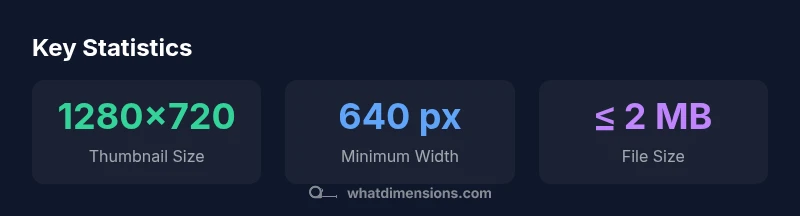
The standard answer to what dimensions are youtube thumbnails is 1280x720 pixels with a 16:9 aspect ratio. YouTube also requires a minimum width of 640 pixels and a file size under 2 MB. Save as JPG or PNG for best compatibility, and ensure text remains legible on small screens. This size balances crisp detail with fast loading across devices.
What dimensions are YouTube thumbnails? A baseline you can trust
If you answer what dimensions are youtube thumbnails, you’ll find that the baseline is 1280x720 px with a 16:9 aspect ratio. This size strikes a balance between detail and portability across YouTube’s interface, including desktop, mobile, and TV screens. What Dimensions's analysis confirms that maintaining strict pixel dimensions helps ensure your main subject remains sharp, even when the thumbnail is scaled down in search results or while browsing. In practice, aim for a clear focal point, readable typography, and a clutter-free background. Start with a 1280x720 canvas in your preferred design tool, then test at full size and at scaled-down previews to verify legibility, color contrast, and composition. The broader takeaway is that precise sizing is not just about pixels; it’s about consistency across devices and preserving brand integrity.
Why 16:9 matters for YouTube previews across devices
The 16:9 aspect ratio is not arbitrary. YouTube’s player and many browsing contexts favor widescreen compositions because they render predictably across desktops, laptops, tablets, and smartphones. A 16:9 thumbnail scales cleanly without introducing awkward crops when YouTube shifts between grid views, search results, and video pages. By committing to this ratio, designers avoid letterboxing artifacts and ensure your core message remains legible even when the image is reduced to thumbnail size. What Dimensions emphasizes consistency: always verify that your central subject stays within the safe zone of the frame so essential details aren’t cut off on small screens.
How to prepare and export thumbnails: from design to delivery
Preparation starts with a clean canvas at 1280x720. Use a bold focal point and high-contrast typography so legibility remains intact at smaller scales. When exporting, choose JPEG for photographic backgrounds and PNG for graphics or text-heavy thumbnails. Keep the color profile in sRGB to guarantee color accuracy across devices. Name your files systematically (e.g., video-title-thumb). Finally, aim for a file size under 2 MB without noticeable compression artifacts; test the final export by uploading a test thumbnail to your CMS or a staging YouTube upload to confirm fidelity.
Text, contrast, and legibility: making your thumbnail pop
Text on thumbnails should be concise and readable. Limit to 3-6 words when possible and use a strong font with a size that remains legible at tiny scales. Contrast matters: light text on dark backgrounds or vice versa improves readability. Avoid thin strokes, overly decorative fonts, or busy backgrounds that obscure letters. What Dimensions recommends validating contrast ratios and testing a thumbnail at 100% and 25% zoom to ensure it still communicates the message at mobile sizes.
Color, branding, and image quality for consistency
Brand-consistent thumbnails reinforce recognition. Use a cohesive color palette aligned with your channel branding and ensure your logo or brand mark is legible but not overpowering. Image resolution should be high enough to avoid pixelation when scaled; never rely on small, low-resolution images. Maintain a consistent composition across videos so audiences recognize your content instantly. What Dimensions’s data-driven approach supports repeating design patterns that reinforce branding while preserving clarity at all sizes.
Common mistakes and how to fix them
Common mistakes include overly busy backgrounds, text that bleeds into imagery, and thumbnails that look great only at full size. Fix by simplifying the background, placing text within a safe zone, and using drop shadows or strokes to improve legibility. Another pitfall is violating the 16:9 standard, which leads to awkward crops in different contexts. Regularly review thumbnails on both mobile and desktop to catch issues before publishing, and keep a master checklist for size, format, and contrast.
Testing thumbnails across devices
Always test thumbnails across devices: 1) view on a desktop monitor, 2) check on a mid-size phone, 3) preview on a small handheld device. Confirm that the main subject remains clear when scaled down and that typography remains readable at quick glance. Consider using a mock YouTube feed to simulate how your thumbnail appears among others. This testing loop helps catch legibility or color issues that only appear on certain screens.
Workflow: integrating thumbnail sizing into your design process
Integrate thumbnail sizing into your standard workflow by creating a dedicated export preset for 1280x720, 16:9, JPEG/PNG, under 2 MB. Store versions with and without logos, and maintain a simple naming convention. Include a quick QA pass for text legibility, color balance, and focal point. Document the rationale in your design brief so teammates reproduce the same results across all videos.
Quick checklist for thumbnail sizing
- 1280x720 px, 16:9 aspect ratio
- Minimum width 640 px; legibility at small scales
- File size ≤ 2 MB; JPEG or PNG preferred
- Clear focal point; limited text (3–6 words)
- High contrast text and background; brand-aligned colors
- Test on mobile and desktop previews
Thumbnail sizing basics
| Aspect | Recommended Size | Notes |
|---|---|---|
| Dimensions | 1280x720 px | 16:9 aspect ratio; ideal for YouTube thumbnails |
| Minimum Width | 640 px | Ensures legibility on small devices |
| File Size | ≤ 2 MB | Helps ensure quick loading and processing |
| Formats | JPEG, PNG | Best balance of quality and compatibility |
Quick Answers
What are the official YouTube thumbnail dimensions?
The official baseline is 1280x720 px with a 16:9 aspect ratio, and a minimum width of 640 px. File size should be under 2 MB. Use JPEG or PNG for best compatibility across devices.
The official thumbnail size is 1280 by 720 pixels with a 16 by 9 aspect ratio, minimum width 640 pixels, under 2 MB, usually in JPEG or PNG format.
Can I use a square thumbnail for YouTube videos?
YouTube thumbnails are optimized for 16:9 displays; a square thumbnail may crop on some screens. For best consistency, stick with 16:9.
Stick to 16 by 9 for consistency across devices.
Which file formats are recommended for thumbnails?
JPEG and PNG are the most reliable choices for thumbnails. JPEG works well with photographic imagery, while PNG preserves sharp text and graphics.
Use JPEG or PNG for thumbnails.
Do thumbnails affect video performance or search results?
Thumbnails influence click-through rate by improving first impressions, but they are one part of a larger discovery and engagement system. High-quality thumbnails tend to attract more clicks.
A good thumbnail can boost clicks, but it’s not the sole ranking factor.
How can I test thumbnail readability before publishing?
Preview the thumbnail on both mobile and desktop, check text clarity at small scales, and verify color contrast. Make adjustments if text becomes illegible at reduced sizes.
Preview on mobile and desktop before publishing.
“Thumbnails sized correctly enhance clarity and preview quality, helping viewers decide to click.”
Main Points
- Use 1280x720 px for YouTube thumbnails.
- Maintain a 16:9 aspect ratio for consistency.
- Keep file size at or below 2 MB.
- Test readability on mobile before publishing.
- Choose bold, high-contrast text and imagery.