What Dimensions for yt Thumbnail: Your Guide to YouTube Thumbnail Sizes
Discover the exact YouTube thumbnail dimensions, file size limits, and best practices to optimize your thumbnails for all devices. What Dimensions explains the 1280x720 standard and how to design high-CTR thumbnails.


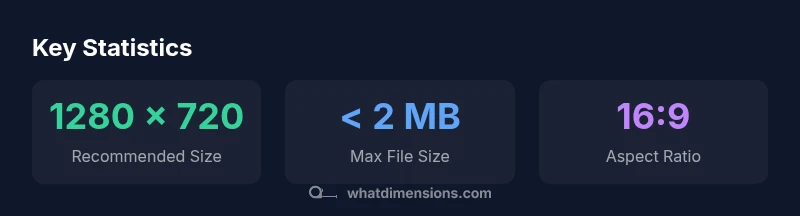
According to What Dimensions, the standard YouTube thumbnail size is 1280 x 720 pixels with a minimum width of 640 pixels, and an aspect ratio of 16:9. For reliability across devices, keep the file size under 2 MB and use JPG or PNG formats. If you're wondering what dimensions for yt thumbnail, use 1280 x 720; this balance supports clarity on desktop and mobile while boosting CTR.
What dimensions are standard for YouTube thumbnails
Understanding the exact dimensions for YouTube thumbnails helps you present your video in the best light across devices. The standard YouTube thumbnail dimensions are 1280 x 720 pixels, with an aspect ratio of 16:9. This size is chosen because it scales crisply from small mobile screens to large desktop displays while preserving detail in the text and imagery. You should maintain a minimum width of 640 pixels to ensure readability when YouTube automatically rescales or crops images on certain surfaces. For performance and accessibility, keep the file size under 2 MB and choose JPG or PNG formats. If you’re asking what dimensions for yt thumbnail, use 1280 x 720; this creates a balance between clarity and upload efficiency. Note that some creators test higher resolutions for special campaigns, but the vast majority of viewers will see a 1280x720 image correctly on any device. Finally, always keep the central subject within the safe title area.
Why the 1280 x 720 standard matters
The 1280 x 720 standard matters because it maintains visual fidelity across a wide range of displays, from phone screens to large monitors. A 16:9 aspect ratio is universally supported by YouTube players, thumbnails grid, and search results thumbnails. When you design at this size, you minimize resampling artifacts and ensure that bold text and faces remain readable even when scaled down in recommended thumbnails lists. The What Dimensions team notes that consistency in size reduces visual churn and helps your branding stay cohesive across your channel.
Designing for mobile and desktop: aspect ratio and safe zones
Mobile devices display thumbnails at smaller scales, so legibility is critical. A 16:9 aspect ratio is ideal because it fills the YouTube grid and player without awkward letterboxing. Keep the most important elements—faces, text, focal imagery—within the center area where they are least likely to be cropped. Use high-contrast colors and bold type to maintain readability at small sizes. Avoid placing essential details near the extreme edges of the image, which can be cut off on certain devices.
File formats and optimization tips
For best results, export thumbnails as JPG or PNG. JPEGs are generally smaller for photographic imagery, while PNGs preserve crisp text and graphics. Use sRGB color space to ensure consistent color across displays. Compress images just enough to stay under 2 MB without visible quality loss. If your thumbnail contains flat, graphic assets, PNG-24 can maintain sharp edges. Remember: smaller files load faster, improving user experience and potential CTR.
Practical workflow to create thumbnails
Start with a quick concept sketch of the key moment or text. Crop and frame the image to the 16:9 ratio, ensuring the subject sits near the center. Add bold, legible text limited to 2-4 words if possible. Export in JPG or PNG, optimize the file under 2 MB, and name the asset with a concise, descriptive label (e.g., video-title-1280). Batch-thumbnails for multiple videos using consistent templates to maintain brand cohesion.
Typography, color, and imagery best practices
Choose fonts that are bold and readable at small sizes. High-contrast color pairings (e.g., white text on a dark overlay) improve legibility on mobile screens. Use a single focal image or face to evoke emotion and curiosity. Color psychology matters: warm tones can convey energy, while cool tones imply professionalism. Ensure imagery is relevant to the video content to avoid misleading thumbnails.
Common mistakes and how to fix them
Avoid cluttered designs that hide text behind busy backgrounds. Don’t rely on tiny captions; keep text large and legible. Don’t stretch a lower-resolution image; always start with a high-quality source and maintain the 16:9 ratio. Test readability by viewing the thumbnail at small sizes or in a YouTube preview window before publishing.
Previewing and testing thumbnails in YouTube Studio
Use YouTube Studio’s thumbnail editor to preview how your thumbnail appears across devices. Check the mobile preview to verify legibility and alignment. If a thumbnail doesn’t look right at 50% zoom, adjust text size, contrast, or cropping. A/B testing with different designs can reveal which thumbnail performs better for your audience.
Thumbnail dimension reference
| Topic | Recommended Size (px) | Notes |
|---|---|---|
| Thumbnail width | 1280 | Default width for best quality |
| Thumbnail height | 720 | Maintains 16:9 ratio |
| Aspect ratio | 16:9 | Most viewers see this standard |
| Max file size | 2 | MB |
| Formats | JPG, PNG | Prefer PNG for text clarity |
Quick Answers
What are the exact YouTube thumbnail dimensions?
The recommended size is 1280 x 720 pixels with a 16:9 aspect ratio. YouTube accepts a minimum width of 640 px; keep the file under 2 MB.
Use 1280 by 720 with 16:9, under 2 MB.
What formats does YouTube support for thumbnails?
Choose JPG or PNG for best compatibility and quality; GIFs are not recommended.
Choose JPG or PNG, avoid GIFs.
Does thumbnail size affect video ranking?
Thumbnail size does not directly affect ranking; a clear, compelling image improves click-through rate, which can influence video performance.
Thumbnails affect clicks, not ranking directly.
How can I test readability on small screens?
Preview thumbnails on mobile in YouTube Studio or design software, ensuring text remains legible at reduced sizes.
Preview on small screens.
What common mistakes should I avoid?
Avoid clutter, tiny text, and low contrast. Ensure focal points and text are prominent.
Avoid clutter and low contrast.
Can I use higher resolutions?
You can export at higher resolution, but YouTube displays 1280 x 720 by default; keep the file under 2 MB.
Higher res is fine, but stay under 2 MB and 1280x720 is standard.
“A well-optimized thumbnail improves click-through rates, especially when typography and contrast are clear and bold.”
Main Points
- Adopt 1280 x 720 px as the default size.
- Keep file size under 2 MB for fast loading.
- Use JPG or PNG for optimal quality.
- Ensure text is legible on small screens.
- Maintain a 16:9 aspect ratio.