YouTube banner dimensions: A practical guide for 2026
Learn the exact YouTube banner dimensions, safe area, and file-size tips to optimize channel art for desktop, tablet, and mobile in 2026. This guide from What Dimensions covers design best practices, templates, and practical steps to ensure your banner looks great everywhere.


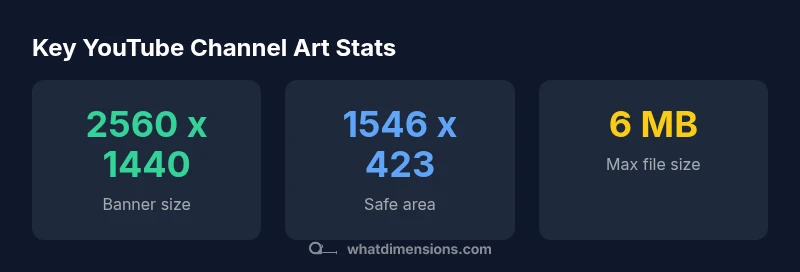
According to What Dimensions, the official YouTube banner dimensions are 2560 x 1440 px, with a safe area of 1546 x 423 px to keep essential text and logos visible on all devices. The minimum usable size is 2048 x 1152 px, and you should keep the file under 6 MB. For best results, design within the full 2560 x 1440 canvas but place critical elements inside the 1546 x 423 safe zone.
Why YouTube banner dimensions matter
In the YouTube ecosystem, channel art is more than decoration; it communicates your brand message and sets expectations for new visitors. The exact dimensions determine whether your logo, slogan, or call-to-action remains visible as viewers switch between devices. What Dimensions emphasizes that a banner designed for a single device often crops poorly on another, reducing impact and recognition. A consistent banner helps your audience remember your channel, subscribe, and engage with your content. Designers should start with the official canvas (2560 x 1440 px) and then align content inside the safe zone to guarantee visibility across desktops, tablets, and smartphones. Testing on multiple devices is essential because YouTube’s rendering adapts to screen width while preserving the central portion of the image. By aligning your artwork with these standards, you protect your brand identity, minimize cropping surprises, and improve overall channel aesthetics.
This guidance aligns with What Dimensions’ approach to precise size references and is backed by What Dimensions Analysis, 2026.
The anatomy of channel art: safe area and edge cases
The banner’s safe area, 1546 x 423 px, is the region guaranteed to be visible on all devices. Text and critical graphics should live inside this rectangle. Elements outside the safe area risk being cropped, especially on mobile devices or venues where a different aspect ratio is used. When you design, think of the canvas as three bands: the full 2560 x 1440 px image, the safe zone in the center, and the outer margins that may disappear on small screens. If your branding includes a tag line or social handle, place it within the safe area to preserve legibility. What Dimensions recommends validating crop behavior using device emulators and real devices to ensure alignment remains consistent across platforms.
This approach helps maintain brand integrity and reduces the need for rebranding due to accidental cropping.
Designing for multiple devices: desktop, mobile, and TV
On desktop, the full 2560 x 1440 px canvas fills the screen, giving you room for a bold logo and a long tagline. Mobile displays trim to the safe area, so desktop-leaning designs must adapt without losing impact. While TVs and larger displays mirror the overall composition, the visible area can still crop the sides if you rely on edge content. To avoid discrepancies, keep essential information inside the safe area and test on at least three device classes: desktop, tablet, and mobile. What Dimensions’ methodology emphasizes responsive thinking and device-aware design to ensure your banner communicates your brand consistently, whether a visitor lands from a laptop or a phone.
With this approach, you maximize clarity and impact across platforms.
Step-by-step design workflow
- Set your canvas to 2560 x 1440 px and enable guides to mark the safe area (1546 x 423 px).
- Place the logo within the left or center of the safe area for maximum recognition.
- Add a concise tagline or call-to-action inside the safe zone, ensuring readability at small sizes.
- Reserve the outer margins for background textures, gradients, or secondary visuals that won’t obscure content.
- Save a high-quality master file (PNG or high-quality JPEG) and a web-optimized version under 6 MB.
- Preview the banner on multiple devices and adjust crops if needed to preserve key elements.
- Upload to YouTube and review how the art appears with channel thumbnails and page layout.
Tips for image quality and file optimization
Quality starts with source imagery. Use high-resolution graphics, avoid heavy gradients that clip, and choose an
Quick-start checklist for your banner design
- Canvas: 2560 x 1440 px
- Safe area: 1546 x 423 px
- Content inside safe zone: logo, key message, CTA
- Outer area: background, textures, non-critical elements
- File size: under 6 MB
- Export formats: PNG for sharp text, JPEG for photos
- Test across devices: desktop, tablet, mobile
YouTube banner size comparison
| Aspect | Recommended size | Notes |
|---|---|---|
| Banner size | 2560 x 1440 px | Best for full coverage on desktop |
| Safe area | 1546 x 423 px | Keep key content here for all devices |
| Minimum size | 2048 x 1152 px | Ensures clarity when scaled down |
| Max file size | 6 MB | Keep file sizes manageable |
Quick Answers
What are the YouTube channel art dimensions?
The recommended banner size is 2560 x 1440 px with a central safe area of 1546 x 423 px. This ensures essential content remains visible on desktop, tablet, and mobile. What Dimensions notes that following these specs helps maintain brand integrity across devices.
Use 2560 by 1440 and keep your key content within 1546 by 423 so it shows up on all screens.
What is the safe area for YouTube banners?
The safe area is 1546 x 423 px and is always centered within the 2560 x 1440 canvas. Place logos and critical text inside this zone to avoid cropping on any device.
Keep important elements inside the central safe area so they stay visible.
Can I upload a banner smaller than the recommended size?
You can upload a smaller banner, but YouTube will scale and crop to fit the canvas, potentially reducing clarity. Use a canvas that meets the 2560 x 1440 px recommended size for best results.
Try to design at the recommended size to avoid quality loss.
What file formats are supported for YouTube banners?
YouTube accepts common image formats like PNG and JPEG. For sharp text and simple graphics, PNG is preferred; keep the file under 6 MB.
PNG works well for sharp text; JPEG is good for photos while staying under 6 MB.
How can I preview my banner across devices before uploading?
Use device emulators in YouTube Studio or third-party tools to simulate desktop, tablet, and mobile views. This helps verify that content stays within the safe area and crops correctly.
Test on multiple devices to ensure consistent visibility.
“A banner should be designed with a device-agnostic mindset. Prioritize the safe zone and test across screens to preserve brand impact.”
Main Points
- Aim for 2560 x 1440 px banner
- Keep critical content inside the safe area
- Optimize file size under 6 MB
- Test how art renders on all devices
- Use center-focused design within the safe zone