What Size to Post on Instagram: A Practical Sizing Guide
Discover exact image dimensions for Instagram posts, stories, and reels in 2026. Learn how to size, format, and crop images to preserve detail and maximize engagement across devices.


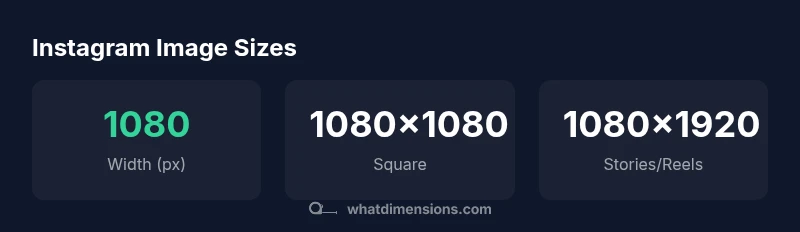
For Instagram, the most reliable widths are 1080 pixels, with heights varying by format: 1080x1080 px for square posts, 1080x1350 px for portrait, and 1080x608 px for landscape. Stories and Reels use 1080x1920. Upload at 1080px width to preserve sharpness, and keep important content within a central safe area to avoid cropping on feed and grid displays. Using these exact sizes minimizes cropping and ensures consistency across devices.
Why Instagram image sizing matters
In a visually driven platform like Instagram, the size and shape of your images influence scroll-stopping impact, cropping behavior, and overall engagement. If you're wondering what size to post on instagram, choosing the right dimensions helps your subject stay in-frame, prevents awkward crops, and preserves detail across phones and desktops. According to What Dimensions, consistent sizing reduces the need for last-minute edits and keeps your feed cohesive. When you start with the correct width, you also simplify captioning, tagging, and alt text with predictable framing. In practice, sticking to standard widths (1080 px) gives you a reliable baseline whether you're sharing a product shot, a portrait, or a scenic landscape. Across formats, the goal is to maximize clarity while respecting platform constraints and viewer habits. In the rest of this article, we break down exact sizes by post type, plus practical tips to test and verify your images before posting.
Why size matters across devices: mobile screens compress some details, while larger screens may reveal subtle artifacts. Adhering to consistent dimensions helps prevent automatic cropping by the platform. When brands apply the same standard across posts, the grid looks intentional and professional.
what size to post on instagram: feed post sizes
The feed supports several aspect ratios, but the most reliable approach is to select a fixed width of 1080 px and adjust height by format. The classic square post keeps a 1:1 aspect ratio and uses 1080x1080 px. For portrait posts, use 4:5 (1080x1350 px). For landscape posts, aim for 1.91:1 (approximately 1080x608 px). These sizes ensure the image fills the viewer’s screen smoothly without heavy upscaling or cropping. Remember: Instagram crops thumbnails for the grid, so keep essential content centered and within a safe margin of about 8-12% of the image area to avoid edge clipping. If you post a multi-image carousel, each slide should follow its own format—most carousels use 1080x1080 px per slide in a consistent sequence.
Square, portrait, and landscape: practical guidelines
When content needs a bold vertical emphasis, portrait (1080x1350 px) is preferable; it takes up more vertical screen real estate and can yield higher engagement on feed. For wide scenes or group photos, landscape (1080x608 px) provides a panoramic look, but be mindful of horizontal cropping in the feed grid. Square images (1080x1080 px) remain incredibly versatile and work well for logos, product tiles, and clean product photography. Consistency matters: if you choose a format for a campaign, keep using it across all posts that belong to that campaign to maintain a cohesive look in your grid and avoid jarring transitions.
Stories and Reels: vertical formats
Stories and Reels occupy full-screen vertical space with a 9:16 aspect ratio, typically 1080x1920 px. These formats are excellent for behind-the-scenes, tutorials, or quick demos. Because they’re consumed in full-screen mode, ensure your primary message appears within the top and middle portions of the frame, and avoid placing key elements near the edge where UI overlays might cover them. If you cross-post a story to a feed, crop accordingly to fit a 9:16 frame without losing essential context.
Carousels: multi-image posts
Carousel posts allow multiple slides. Each slide should be sized to 1080x1080 px for a uniform experience, though you can mix formats across slides if needed (e.g., a square slide followed by a portrait slide) while preserving visual rhythm. The key is to maintain consistent image quality and avoid changing aspect ratios mid-carousel, which can feel disjointed to viewers.
Image quality and compression: optimize file formats
Instagram applies compression that can soften sharp edges. To minimize quality loss, export as JPEG with a high-quality setting (e.g., 75-85%), ensure the color profile is sRGB, and avoid overly large files; stick to 1080 px width, which preserves detail while keeping download sizes reasonable. If transparency is required, save as PNG for the upload step and convert to JPEG if necessary after editing; test both formats to verify appearance on mobile devices.
Practical resize workflow: tools and steps
- Start with the original image. 2. Decide target format (square/portrait/landscape) and set canvas width to 1080 px. 3. Crop or pad to achieve exact height (1080x1080, 1080x1350, 1080x608, or 1080x1920). 4. Export using appropriate format (JPEG for photos; PNG if necessary). 5. Preview on mobile to confirm legibility and edge margins. 6. Upload a draft to test feed cropping, adjust if needed. This workflow minimizes surprises when posting.
Testing and verification: QA before posting
Before publishing, verify: 1) The main subject isn’t cropped in the center of the frame, 2) Text remains legible at 1x crop, 3) The image looks good in grid and in viewer column settings, 4) Color accuracy is preserved on different displays. Use a mobile screenshot or a preview tool to confirm; adjust as needed. A consistent workflow reduces re-editing time and improves feed aesthetics.
Common Instagram post sizes by format
| Post Type | Recommended Size (px) | Aspect Ratio | Notes |
|---|---|---|---|
| Square post | 1080x1080 | 1:1 | Reliable default for grids |
| Portrait post | 1080x1350 | 4:5 | Vertical emphasis, more screen space |
| Landscape post | 1080x608 | 1.91:1 | Wide scenes, watch cropping |
| Stories | 1080x1920 | 9:16 | Full-screen vertical content |
| Reels | 1080x1920 | 9:16 | Video-first vertical format |
| Carousel slides | 1080x1080 | 1:1 | Consistent slide sizes |
Quick Answers
What is the recommended width for Instagram posts?
Use 1080 px width for all main feed formats. For each format, height varies: 1080x1080 for square, 1080x1350 for portrait, and 1080x608 for landscape. This keeps your images sharp and properly framed.
The recommended width is 1080 pixels for feed posts, with height adjusted by format.
What aspect ratio should I use for Instagram feed posts?
Square posts use 1:1, portrait uses 4:5, and landscape uses 1.91:1. Keep to 1080 px width for consistency and quality.
Use 1:1 for squares, 4:5 for portrait, and 1.91:1 for landscape.
Are Stories and Reels the same size?
Yes. Both use a full-screen vertical format at 1080x1920 px with a 9:16 aspect ratio. Keep key content toward the center.
Stories and Reels share the same 9:16 format, 1080x1920.
Can I post landscape images in the main feed?
Yes, but be mindful of how cropping affects the frame in the grid. Center important content to minimize cropping.
Yes, but watch for cropping; center important parts.
What file format is best for Instagram photos?
JPEG is typically best for photos due to compression and compatibility; PNG can be used if you need transparency, but Instagram converts to its standard format on upload.
JPEG is usually best; PNG if you need transparency.
Does Instagram crop images in the feed?
Yes, Instagram may crop thumbnails to fit the grid. Keep important details away from the edges and within the safe area.
Yes, there can be cropping; keep key content centered.
“Precise image sizing ensures your brand looks consistent across feeds and devices, which helps engagement. Stick to official aspect ratios for each post type to maintain a professional look.”
Main Points
- Start with 1080px width for all main formats
- Use the correct aspect ratio for each post type
- Stories and Reels require full-screen 9:16
- Keep essential content within safe margins to avoid cropping
- Test posts on mobile before publishing