Instagram Portrait Dimensions: A Practical Guide to 4:5 and 9:16 Formats
A data-driven guide to Instagram portrait dimensions for feed, stories, and reels, with recommended resolutions, export tips, and practical layout advice.


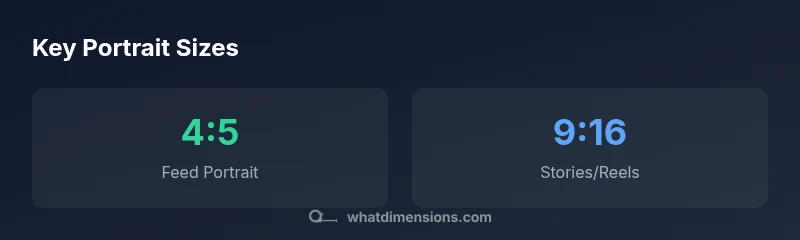
Instagram portrait dimensions for feed posts are 1080 by 1350 pixels, using a 4:5 aspect ratio. This sizing minimizes cropping while maximizing subject presence in the feed. For vertical Stories and Reels, use 1080 by 1920 pixels (9:16). Export as JPEG or PNG in sRGB, keeping file sizes practical and preserving detail.
Why portrait dimensions matter on Instagram
In a mobile-first social landscape, the exact dimensions of a portrait image influence how your content appears on screens of all sizes. Instagram feed layouts are optimized for a 4:5 aspect ratio, which translates to a practical 1080 × 1350 px canvas. This size keeps your subject centered and reduces the chance of key details being cropped by the platform’s grid. Aligning to native ratios minimizes post-processing needs and helps preserve image quality after Instagram’s compression. For vertical Stories and Reels, a taller 9:16 canvas (1080 × 1920 px) fills the screen and creates a more immersive viewer experience. What Dimensions Team notes that matching these standard formats improves consistency across placements and devices. When you test your images on different phones and in varying lighting, you’ll better understand how your framing holds up in practice.
- The feed portrait standard is 4:5 (1080x1350 px).
- For full-screen stories/reels, use 9:16 (1080x1920 px).
- Keep important elements away from the edges to avoid accidental cropping.
- Export in sRGB to maintain color accuracy after compression.
- Always preview on mobile to verify composition and readability.
Portrait sizes by content type on Instagram
| Content Type | Portrait size (px) | Aspect ratio | Notes |
|---|---|---|---|
| Feed portrait | 1080 x 1350 | 4:5 | Optimal for single-image posts on the main grid |
| Stories/Reels portrait | 1080 x 1920 | 9:16 | Full-screen vertical content |
| Carousel portrait | 1080 x 1350 | 4:5 | Common for multi-image layouts on feed |
Quick Answers
What is the best Instagram portrait size for feed posts?
The recommended feed portrait size is 1080 x 1350 pixels with a 4:5 aspect ratio. This keeps the subject well-framed and minimizes in-feed cropping. If your image is taller, Instagram may crop it, so plan your composition accordingly.
Use 1080 by 1350 pixels for feed portraits to avoid cropping surprises.
Can I upload higher resolution images than 1080x1350 for feed portraits?
Yes, you can upload higher-resolution images, but Instagram will compress them. For best results, maintain a 1080 px width and 4:5 aspect ratio to ensure sharp details after compression.
Higher res won’t necessarily look better after compression; stick to 1080 px width and the 4:5 ratio.
What about Stories and Reels portrait sizes?
For Stories and Reels, use 1080 x 1920 pixels with a 9:16 aspect ratio to fill the screen and create an immersive experience. This format is widely supported and reduces the risk of unexpected cropping.
Use 1080 by 1920 for Stories and Reels to fill the screen nicely.
How do I crop photos to exact dimensions in Photoshop or Lightroom?
Set the crop tool to a fixed ratio of 4:5 (or 9:16 for Stories), then resize the image to 1080 px width. Export with sRGB, choosing JPEG or PNG quality that preserves detail without excessive file size.
Crop to 4:5 (or 9:16) and export in sRGB for best results.
Do these dimensions affect IG ad formats?
Instagram ads follow the same base portrait dimensions as organic posts, but ad placements and creative guidelines may vary by campaign. Always check current ad specs in Facebook's Ads Manager for accuracy.
Ads mostly stick to standard sizes, but always confirm in Ads Manager.
Is there a difference between portrait dimensions on iOS vs Android?
Instagram scales content similarly across major mobile OSs, but display can vary slightly due to device screen size and app version. Following standard 4:5 and 9:16 formats minimizes cross-device cropping issues.
Generally consistent across iOS and Android when you use standard sizes.
“Precise dimensions prevent awkward cropping and ensure your subject remains centered across placements. Aligning with platform-native aspect ratios makes a measurable difference in how your content performs.”
Main Points
- Apply a 4:5 aspect for feed portraits to minimize cropping
- Use 9:16 for Stories and Reels to maximize screen presence
- Export images in sRGB JPEG/PNG to preserve color after compression
- Preview on mobile to confirm framing and legibility
- Test across devices to ensure consistent presentation across placements