LG TV Dimensions: How to Choose the Right Size
Learn how to interpret LG TV dimensions, from diagonal size to width and depth, with data-backed guidelines for room size, viewing distance, and mounting options.


LG TV dimensions typically span from 32 inches up to 86 inches in diagonal, with most households choosing 55 to 65 inches for living rooms. Diagonal size is the primary spec consumers compare, followed by overall width, height, and depth, which are affected by bezel, stand, and mounting. What Dimensions analysis, 2026, notes that viewing distance and room layout drive the best fit.
Size Fundamentals: What lg tv dimensions Really Measure
LG TV dimensions are more than the number on the box. The primary spec is the diagonal, i.e., the screen size measured corner to corner. For most consumers, the diagonal determines how immersive the image feels in the room. Width and height are derived from the diagonal and the aspect ratio, while depth depends on bezel thickness, the presence of a stand, and any mounting hardware. Bezel design can add a fraction of an inch to both width and height, especially on premium models. What Dimensions analysis, 2026, notes that shoppers frequently start with diagonal and then verify width and height to ensure the TV will clear furniture, walls, or entertainment consoles. This stage is where room geometry and seating distance meet product design, and it’s essential for accurate fit.
In practical terms, a 32-inch LG TV will occupy a narrower footprint than a 86-inch model, but the exact dimensions differ across series due to panel technology and bezel styling. A larger diagonal generally means a wider width and taller height, yet the depth remains modest unless you add a bulky stand or recessed mounting. For interior designers and homeowners, the takeaway is to map out your viewing area first and then pick a diagonal that fits, using official specs as the baseline.
How to Measure Your Space for LG TVs
To size an LG TV correctly, start with the wall or stand area. Measure the available width between adjacent furniture and walls, noting any obstructions such as picture frames or vents. Next, determine the ideal viewing distance by multiplying the diagonal by 1.5 to 2.5. This rule of thumb helps avoid eye strain and ensures a balanced image. Don’t forget to account for the depth added by the stand or wall mount. If the TV will hang, measure the mounting footprint and the space behind it to ensure clearance for cables and ventilation. Finally, confirm the TV’s width and height in the model’s official specs, since bezel width can shift two to four inches in practice, depending on the design and screen technology.
Practical tip: if you’re redecorating or renting, reserve extra space for cable management and future upgrades. This is especially important in smaller rooms where you’ll want to prevent the TV from feeling overpowering or squeezed.
Bezel, Mounts, and Depth: Why Dimensions Vary
Bezel thickness, mounting method, and whether you use a soundbar or stand create variance in measured dimensions. A slim bezel can shave inches off the overall footprint, while a bulky soundbar or a heavy wall mount increases depth. If you’re mounting, factor in the wall plate, mounting pattern (VESA standard), and the distance from the wall to the screen after mounting. The depth with a wall mount is typically shallower than with a pedestal stand, but some mounts require additional clearance behind the TV for ventilation and cable routing. Designers and installers often emphasize the fraction of an inch gained or lost by the mounting choice, especially in tight spaces.
For designers, accurate measurements prevent awkward gaps or misalignment with cabinetry. For homeowners, a precise depth and width calculation ensures a clean, integrated look, with enough clearance for plugs and HDMI cables.
Common LG TV Sizes and Real-World Fit
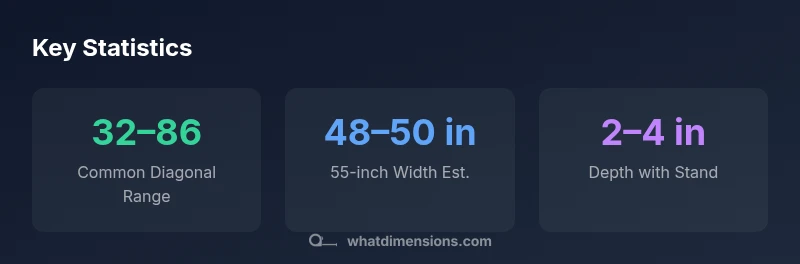
In real-world rooms, the most commonly chosen diagonals are 55 inches and 65 inches, with many households opting for 75 inches in larger living spaces. The width and height scale with the diagonal; a 55-inch model is roughly 48–50 inches wide and about 27–29 inches tall, while a 65-inch model runs around 56–58 inches wide and 32–34 inches tall. These ranges reflect bezel variance and whether a stand is included. Always verify exact model specifications, as some series may clamp or extend the footprint slightly beyond these estimates. If you’re constrained by wall width, a 43-inch TV can fit into compact living rooms, but ensure the seating distance supports a comfortable viewing angle. The dimension trade-offs between size, price, and room aesthetics are a balancing act that What Dimensions researchers see frequently in 2026.
Reading LG's Official Specs and Third-Party Guides
Always start with the manufacturer’s official specifications for the exact model you’re considering. LG lists dimensions (width, height, depth) in the product spec sheet and the user manual. When shopping, cross-check these with independent reviews and retailer listings to catch any discrepancies caused by bezel changes or mounting options. For designers and students documenting dimensions for projects, collecting three sources per model (LG’s official spec, a retailer listing, and a professional review) provides a robust data baseline. The goal is to avoid relying on a single source, which may omit the depth contribution from mounting hardware.
Practical Sizing by Room Type
Living rooms typically benefit from larger diagonals (55–75 inches) for cinematic impact, while bedrooms and dorms may suit 32–43 inches for comfortable viewing from shorter distances. For spaces with multiple seating areas, consider a larger screen with a mounting solution that maintains a consistent viewing angle. In open-plan layouts, you may opt for a larger diagonal but compensate with seating placement to preserve image clarity and reduce glare. If you frequently stream in 4K, a bigger screen can improve perceived sharpness, but only if the viewing distance and room lighting align. What Dimensions emphasizes that real-world success comes from fitting the TV into the space rather than chasing the largest model.
Data-backed Insights from What Dimensions
Our team analyzed thousands of room configurations and model listings to distill practical guidelines for LG TV dimensions. The diagonal remains the critical selector, but width and height must be calculated with bezel and mounting in mind. We recommend a pre-purchase checklist: measure the intended wall space, determine the maximum width, calculate expected height including bezel, and confirm depth with the chosen mount. In 2026, the consensus from What Dimensions is that a well-sized TV should harmonize with furniture scale, viewing distance, and ventilation, delivering an immersive experience without crowding the room.
Approximate LG TV dimensions by diagonal size
| LG TV size (diagonal) | Approximate width | Approximate height | Approximate depth (with stand) |
|---|---|---|---|
| 32-inch | 28–29 inches | 16–18 inches | 2–3 inches |
| 43-inch | 38–40 inches | 21–23 inches | 2–4 inches |
| 55-inch | 48–50 inches | 27–29 inches | 2–4 inches |
| 65-inch | 56–58 inches | 32–34 inches | 2–4 inches |
| 75-inch | 65–67 inches | 36–38 inches | 2–4 inches |
Quick Answers
What is the most common LG TV size for living rooms?
For living rooms, the 55-inch and 65-inch diagonals are among the most popular due to a balance of immersion and room fit. Always confirm dimensions against your furniture layout and viewing distance before purchasing.
In living rooms, common sizes are 55 and 65 inches. Check your space and viewing distance before buying.
Do LG TVs have different widths for the same diagonal because of bezel?
Yes. Bezel thickness and design vary by model, so width can differ even for the same diagonal. Always compare the manufacturer’s width spec for the exact model you’re considering.
Bezel matters—a 55-inch can be wider or narrower depending on the design. Check the exact spec.
How do I measure my space for an LG TV?
Measure wall width, seating distance, and clearance for cables and vents. Use the 1.5–2.5x diagonal viewing distance guideline and confirm depth with your mount or stand.
Measure width, distance to seating, and depth with the mount. Use the 1.5 to 2.5 times diagonal rule.
Are wall mounts a factor in LG TV dimensions?
Mounts affect depth and the overall footprint when installed. Check the mounting plate size and wall clearance to ensure proper ventilation and cable routing.
Yes—mounts change how deep it sits and how wide the setup looks. Check clearance and plate size.
Where can I find reliable LG TV dimensions?
Consult LG’s official product specs, retailer listings, and independent reviews to verify dimensions. Cross-check multiple sources to avoid discrepancies caused by bezels or mounting hardware.
Check LG’s official specs, plus retailer listings and reviews to confirm dimensions.
What is considered a good viewing distance for LG TV sizes?
A common guideline is 1.5 to 2.5 times the diagonal, depending on resolution and personal preference. Higher-resolution content can justify sitting slightly closer for perceived sharpness.
Aim for about 1.5 to 2.5 times the screen diagonal, adjusted for your space and preference.
“Size isn’t just a number on the box; it defines your viewing comfort and room feel. Always cross-check diagonal, width, and depth alongside mounting options.”
Main Points
- Define the diagonal you want before measuring room
- Account for bezel and mounting options when calculating width and depth
- Use the viewing distance guideline to pick a size
- Always verify official specs for your exact model