TV by Dimensions: A Practical Sizing Guide
Learn how to size TVs by width, height, and depth. Practical guidance, measurements, and visuals to ensure your TV fits perfectly in your space.


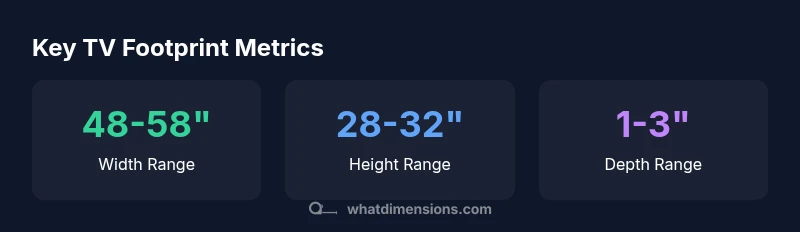
TV by dimensions means planning your setup using the TV's width, height, and depth instead of relying solely on the diagonal. According to What Dimensions, for wall mounting and furniture fit, measure the physical footprint from the model’s spec sheet and compare it to your space. Typical modern 55–65 inch models run about 48–58 inches wide and 28–32 inches tall, with a depth of 1–3 inches depending on design. Always verify exact figures before purchasing.
The Anatomy of TV Dimensions
In this section we break down the three core measurements that define a TV’s physical footprint: width, height, and depth. Width is the horizontal span, height is the vertical span, and depth is how far the TV sits from the wall or surface. Bezel thickness and stand design can subtly affect these numbers, so always read the official spec sheet for each model. The diagonal size is useful for comparing screen area, but it does not fully capture how much wall space a TV will occupy or how it will look in a room. When planning seating distance, mounting height, and furniture width, you should map all three footprint dimensions to the available space. For designers and homeowners, this is the anchor that links product specs to real-world fit.
When you compare models, also consider the aspect ratio and how it influences width and height. A 16:9 panel will typically be wider and shorter than a 21:9 panel of the same diagonal, which affects whether a TV looks oversized in a given wall niche or sits nicely within a built-in cabinet. Finally, remember that mounting style (wall mount vs. pedestal/center stand) can shift the observable footprint by several inches in either direction. These are not minor details when you’re arranging a living room or a home office.
How to Measure Your Space for TV Dimensions
Begin with the wall or furniture location where the TV will live. Use a measuring tape to capture the exact wall width, height, and the distance from nearby obstructions such as shelves, doors, or windows. Then check the TV’s official width, height, and depth, including any protruding bezel or stand. Create a simple footprint sketch: mark the width and height of the TV on the wall space, and add a safety buffer (typically 2–4 inches) on each side for ventilation, cable routing, and future accessories. If you plan a corner installation or recessed mounting, account for extra clearance behind the TV for ventilation and mounting hardware. As you measure, keep viewing distance in mind: a common rule of thumb is to sit roughly 1.5 to 2.5 times the diagonal size away from the screen for a comfortable image.
Diagonal Size vs. Physical Footprint
Diagonal size is a convenient shorthand for screen size, but it does not tell the full story of how much room a TV will consume. Two TVs with the same diagonal can have different widths and heights due to aspect ratio and bezel design. In practice, a 55-inch class TV might measure around 48 inches wide and 27-29 inches tall, while a 65-inch class TV could be 57–58 inches wide and 32–33 inches tall. The depth can range from slim profiles around 1 inch to thicker models approaching 3 inches, especially if you include a substantial soundbar or built-in speakers. When you’re selecting furniture or a wall niche, rely on width and height first, then confirm the diagonal as a secondary reference for perceived size.
Common Pitfalls When Planning by Dimensions
Relying on diagonal alone is the most common pitfall. Another frequent mistake is neglecting mounting clearance and ventilation. Some mounts add extra depth, while cable management or a wall bracket can shift the visible footprint by several inches. Failing to verify the VESA mounting pattern and weight rating can lead to compatibility issues with popular wall arms. Don’t forget about furniture clearance: a bulky mount or a soundbar can extend the footprint outward, reducing clearance for doors or seating. Finally, consider future upgrades: a larger screen may be visually appealing but can overwhelm a room if the space is compact or the seating distance remains fixed.
Practical Sizing Scenarios
In a small living room, a 55–65 inch TV with a footprint around 48–58 inches wide is typical, but ensure the seating distance does not crowd the space. In a master bedroom, a 50–55 inch model may fit more naturally within a dresser or wall niche with a footprint closer to 45–50 inches wide and 25–28 inches tall. For a multimedia setup or gaming station, you may prioritize a slightly deeper chassis to accommodate where the TV sits and how a sound system integrates. Always map the footprint to your actual room geometry and test sightlines from your primary seating position.
How to Verify Dimensions Before Buying
Check the model’s official spec sheet on the manufacturer’s site or retailer listing. Look up width, height, depth, and VESA mounting pattern. If possible, measure your wall space or furniture footprint with the TV footprint in mind, including any stand or soundbar you plan to use. Consider printing a footprint diagram to bring to the store so you can compare quickly. Finally, review installation clearance guidance from the mounting system you plan to use, and confirm that the chosen TV aligns with wall ACH ventilation and cable routing needs.
How TV dimensions map to physical footprint
| Dimension | What it measures | Typical range |
|---|---|---|
| Diagonal (inches) | Screen size (viewable area) | Variable by model |
| Width (inches) | Horizontal footprint | 48-58 |
| Height (inches) | Vertical footprint | 28-32 |
| Depth (inches) | Panel thickness | 1-3 |
Quick Answers
What is the difference between diagonal size and width/height for a TV?
Diagonal size measures the screen’s visible area, not the actual footprint. Width and height determine how much wall or furniture space the TV will occupy. Always compare width and height alongside the diagonal when planning a room layout.
Diagonal tells you screen size, but width and height decide fit in a space.
How do I calculate the required wall space for mounting a TV?
Measure the wall area where the TV will mount, leave clearance for ventilation, and verify the mounting pattern (VESA). Compare these measurements to the TV’s width, height, and depth on the official spec sheet.
Measure the wall, check the mount pattern, and compare to the TV footprint.
Why do dimension specs use mm for VESA and inches for width/height?
Manufacturers use metric units for mounting hole patterns (VESA) to standardize hardware internationally, while consumer footprint measurements are commonly in inches in many markets. Convert where needed for compatibility.
VESA is in mm for hardware standards; width/height are in inches for consumer sizes.
Can I use the diagonal to compare two TVs of different aspect ratios?
No. Diagonal alone hides differences in width and height caused by aspect ratio. Always compare the actual footprint (width and height) to your space when evaluating options.
Diagonals aren’t enough when aspect ratios differ.
What is VESA and why is it important?
VESA is a standardized mounting hole pattern on the back of the TV. It ensures compatibility with wall mounts and stands. Always verify the VESA size matches your mount before purchasing.
VESA is the mounting pattern you’ll need to fit a mount.
“Accurate TV dimensions are essential for proper mounting and viewing comfort. Start with the official spec sheet to avoid surprises.”
Main Points
- Measure width, height, and depth before buying
- Diagonal size alone does not define footprint
- Account for mounting depth and clearance
- Verify VESA patterns and wall compatibility