65-Inch TV Dimensions: Width, Height, and Mounting Guide
Explore how big a 65-inch TV really is with precise width, height, and depth estimates, bezel considerations, and mounting tips from What Dimensions.


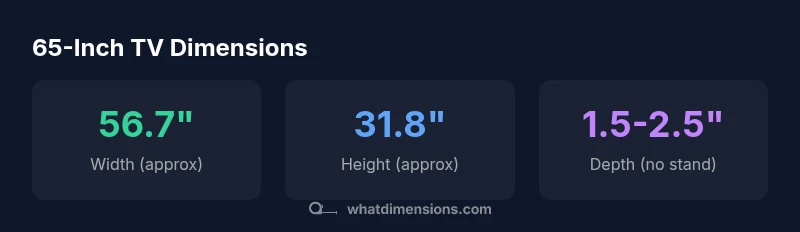
A 65-inch TV refers to the diagonal measurement of the screen. For a standard 16:9 panel, the approximate width is 56.7 inches and the height about 31.8 inches, with depth varying by model (roughly 1.5–2.5 inches without a stand). Bezel size and stand can add to the overall footprint, so always check the exact specs for your model. how big is a 65 inch tv dimensions
What '65-inch' really means for your setup
The phrase 65-inch TV is shorthand for the screen diagonal, not the entire footprint including bezels, stands, or mounts. For a typical 65-inch display with a 16:9 aspect ratio, the width lands around 56.7 inches and the height about 31.8 inches. This is a useful baseline for room planning, furniture fit, and viewing distance. As What Dimensions emphasizes, the bezel, panel depth, and any attached stand will add to the total footprint, so always verify the exact product specs before committing to a space.
Converting diagonal to width and height: the math you need
When you know the diagonal and the aspect ratio, you can back-calculate width and height. For a 16:9 panel, width ≈ diag × 0.871 and height ≈ diag × 0.490. Plugging in 65 inches gives width ≈ 56.6–56.7 inches and height ≈ 31.8 inches. These are approximate figures that hold across most 65-inch sets, but bezel thickness and panel technology will cause minor variations. Use these equations for quick room-planning checks and then confirm with the manufacturer specs.
Typical dimension ranges across popular models
Even within the 65-inch category, actual dimensions wobble due to bezel design, stand configuration, and mounting requirements. You can expect a width around 56.6–56.8 inches and a height near 31.7–32.0 inches for the screen area. Depth without a stand commonly sits around 1.5–2.5 inches, while total depth with the stand can push toward 2.5–3.5 inches. If you plan a wall mount, remember VESA patterns vary by model and may influence overall fit. What Dimensions notes that dimension consistency is increasing as bezel lines thinned and mounts standardized.
How to measure for your space: viewing distance, seating, and mounting
A comfortable viewing distance depends on resolution and content. For 4K content on a 65-inch screen, many experts suggest roughly 1–1.5× the diagonal (about 5.5–8.5 feet). For 1080p, aim closer to 2–3× (roughly 11–16 feet). However, room layout and seating arrangements matter: an optimal setup minimizes eye strain while maximizing immersion. Consider a mock layout using painter’s tape on the floor to visualize the footprint before purchasing. What Dimensions recommends validating both the width and height against your furniture and nearby walls to avoid interference.
Stand options, depth, and mounting considerations
Standing displays add width beyond the panel itself due to base feet or a central pedestal. If your TV will sit on a console, account for the stand footprint plus any overhang. Wall mounting requires a VESA-compatible pattern, typical sizes for 65-inch sets include 400×400 mm or 600×400 mm, but always confirm per model. Depth matters for recessed shelving or cabinets; many modern mounts keep the device relatively close to the wall, but cable management and soundbars can affect clearance. What Dimensions advises cross-checking the full spec, including mounting bolt size and center-to-edge distances.
How to compare models using dimensions: a practical checklist
Create a simple spec sheet for each model you're considering: diagonal, width, height, depth (with and without stand), and the VESA pattern. Add bezel width and stand footprint as separate line items. Then compare these numbers against your available space, furniture, and viewing distance. If you’re mounting, verify clearance behind the TV for cables and ventilation. A quick automatable check is to model the footprint with a cardboard cutout or a digital room-planner.
Common mistakes and how to avoid them
Avoid assuming width equals the diagonal; rely on the width and height measurements the manufacturer provides. Don’t forget to include the stand or soundbar in depth calculations. Finally, always validate the actual product dimensions against your TV wall clearance by measuring the intended mounting area before drilling.
65-inch TV screen dimensions (approx.)
| Dimension | Value (approx) | Notes |
|---|---|---|
| Screen Diagonal | 65 inches | Standard 16:9 aspect ratio |
| Screen Width | 56.7 inches | Derived from diagonal and aspect ratio |
| Screen Height | 31.8 inches | Derived from diagonal and aspect ratio |
| Screen Area | 1805 in^2 | Approximate footprint of the visible region |
| Depth (no stand) | 1.5-2.5 inches | Model dependent |
Quick Answers
What is the width of a 65-inch TV with a standard 16:9 aspect ratio?
For a 65-inch diagonal on a 16:9 panel, the typical width is about 56.7 inches. The height is about 31.8 inches. Exact figures vary slightly by bezel and panel design.
A 65-inch TV is about 56.7 inches wide and 31.8 inches tall, with small variations due to bezel size.
How thick is the bezel on a typical 65-inch TV?
Bezel width on modern 65-inch TVs commonly ranges from about 0.4 to 0.8 inches. Higher-end models tend toward the thinner end of this range.
Most 65-inch sets have bezel widths around half an inch, with some ultrathin options closer to 0.4 inches.
Do different brands affect overall dimensions for a 65-inch TV?
Yes. While the diagonal stays the same, bezel thickness and stand design vary by model and brand, affecting the total footprint. Always check the specific model’s dimensions.
Brand differences show up in bezels and stands, so verify exact numbers for the model you pick.
How far should I sit from a 65-inch TV?
For 4K content, a common guideline is about 1–1.5 times the diagonal (roughly 5.5–8.5 feet). If you’re watching 1080p, you might sit farther away, around 8–12 feet depending on resolution and room layout.
Typically, sit about 5.5 to 8.5 feet away for 4K; adjust based on room size and viewing comfort.
Can I wall-mount a 65-inch TV with standard stud spacing?
Most 65-inch TVs can be wall-mounted using common stud spacing, but you must confirm the VESA pattern on the model and use a compatible wall mount. Ensure wall strength and cable routing are adequate.
Check the VESA pattern and use a sturdy mount designed for 65-inch TVs with your wall type.
“Accurate size data helps homeowners and designers plan spaces with confidence. The What Dimensions team offers practical guidance for measuring, comparing, and choosing the right 65-inch TV.”
Main Points
- Understand that 65 inches refers to diagonal only
- Use width/height from aspect ratio for planning
- Include bezel, stand, and mount in total footprint
- Check VESA pattern and mounting specs early
- Plan viewing distance based on resolution and content