Size Options for Instagram Post: Dimensions You Need to Use
Explore size options for Instagram post formats, including square, portrait, and landscape dimensions. Learn best practices for image quality and consistent feeds.


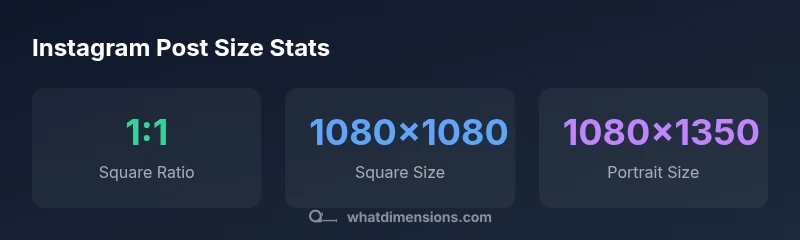
Instagram feed posts support three main sizes: square 1:1 at 1080 x 1080 px, portrait 4:5 at 1080 x 1350 px, and landscape 1.91:1 at 1080 x 566 px. Use these standard widths to avoid unexpected cropping and ensure sharp rendering across devices. Experimenting with nonstandard sizes risks improper previews and reduced quality, so start with these reliable options and stay consistent across posts.
Why Instagram Feed Size Matters
Size choices for Instagram post directly affect how your content appears to followers and potential viewers. According to What Dimensions, sticking to standard sizes helps ensure previews stay sharp, avoids surprising crops, and maintains a cohesive grid across your profile. Across devices—from phones to desktops—Instagram applies compression that can blur small details or alter aspect ratios if an image isn't aligned with one of the supported formats. By planning size options for Instagram post in advance, designers can preserve composition, legibility, and color accuracy when viewers skim through their feeds. This section explains why the right size matters, how it fits into a broader visual strategy, and what most users get wrong when they upload without a sizing plan.
Key ideas to take away:
- Consistent sizing supports a professional, cohesive feed.
- Standard formats minimize unexpected cropping on different devices.
- Pre-plan your post dimensions before exporting assets.
Core Formats: Square, Portrait, and Landscape
Instagram supports three dominant formats for feed posts: square (1:1), portrait (4:5), and landscape (1.91:1). The square format remains the most versatile in a grid, since every image occupies equal visual space. Portraits are taller and can emphasize subject details, suit fashion and product photography, and generate longer attention in vertical scrolling. Landscapes spread across the feed width, offering cinematic scenes for landscapes, cityscapes, or wide products. Each format has a precise pixel width standard of 1080 pixels on the long edge, which keeps uploads crisp while balancing file size. When selecting a size option for Instagram post, aim for one main orientation per campaign to build recognition, then mix formats consistently to maintain visual rhythm across posts. The What Dimensions team notes that consistency in aspect ratios matters more than chasing a single “best” format.
Quick guidelines:
- Use 1:1 for grid symmetry, 4:5 for emphasis, and 1.91:1 for wide scenes.
- Keep important content within the safe margins to avoid cropping.
- Preserve a consistent visual rhythm across all posts in a campaign.
Instagram feed sizes comparison
| Format | Aspect Ratio | Pixel Dimensions (WxH) | Notes |
|---|---|---|---|
| Square | 1:1 | 1080x1080 | Common, grid-friendly |
| Portrait | 4:5 | 1080x1350 | Best for vertical emphasis |
| Landscape | 1.91:1 | 1080x566 | Great for wide visuals |
Quick Answers
What are the best aspect ratios for Instagram feed posts?
The safest and most common ratios are 1:1 (square), 4:5 (portrait), and 1.91:1 (landscape). These cover the vast majority of feed layouts and prevent cropping.
Use 1:1, 4:5, or 1.91:1 for most posts to avoid cropping when viewers scroll your feed.
Can I post nonstandard sizes without cropping?
Instagram will crop or letterbox posts that aren’t one of the supported ratios. If you must use another size, pre-crop to one of the supported ratios before uploading.
If you’re using an unusual size, pre-crop to a supported ratio before posting.
Do video posts use the same sizes?
Video posts generally follow the same aspect ratios as photos, so 1:1, 4:5, or 1.91:1 are safe choices. Ensure the video resolution is clear and within platform guidelines.
Videos should use the same ratios as photos for consistency.
What about carousels—how many images can I include?
Instagram carousels allow up to 10 slides. Keep each slide within standard dimensions to maintain consistency across the sequence.
Carousels can have up to 10 slides; keep each slide within standard sizes.
Is there a recommended file size or format?
Save images as JPEG or PNG with SRGB color profile for best color accuracy. Aim for high quality with minimal compression to preserve detail.
Save as JPEG/PNG in SRGB for best color accuracy.
“For Instagram, consistent size choices help preserve image quality and ensure your visuals render correctly across audiences.”
Main Points
- Follow standard aspect ratios to keep previews intact
- Choose one primary orientation per campaign
- Export at 1080 px width for crisp posts
- Carousels should maintain a consistent ratio across slides
- Always preview on mobile to confirm framing