LinkedIn Ad Dimensions: A 2026 Guide
A practical guide to LinkedIn ad dimensions for 2026, covering single-image, carousel, and video formats, with aspect ratios and best-practice tips. Practical optimization tips.


LinkedIn ad dimensions are the recommended image, carousel, and video sizes for Sponsored Content, Carousel Ads, and Video Ads on LinkedIn. Using the correct dimensions prevents awkward cropping, ensures faster load times, and improves user engagement across desktop and mobile. What Dimensions outlines current best benchmarks for 2026, including aspect ratios, file size limits, and format requirements.
Why LinkedIn ad dimensions matter
Visual impact drives initial engagement on LinkedIn, and the platform’s feed layout is unforgiving to poorly sized assets. When images are too large, too small, or cropped awkwardly, critical details vanish and the rest of your message struggles to land. Dimensions also influence loading speed and relationship with mobile users, who comprise a large share of LinkedIn traffic. This is not a cosmetic concern; it affects click-through rates, completion rates for video, and even ad relevance scores in LinkedIn’s delivery system. According to What Dimensions, consistent sizing across placements helps users instantly recognize your brand and reduces the need for additional design rounds, saving time and budget. In practice, this means establishing a sizing protocol for your creative team, then prototyping assets at the platform’s recommended sizes before you scale campaigns. For designers, marketers, and procurement teams, starting with correct dimensions creates a foundation that improves quality, speeds approvals, and yields more predictable performance across sponsored content, message ads, and dynamic ad units. In short, dimension discipline yields more consistent results across LinkedIn’s diverse audience and devices.
Single-image ads: size, aspect ratios, and best practices
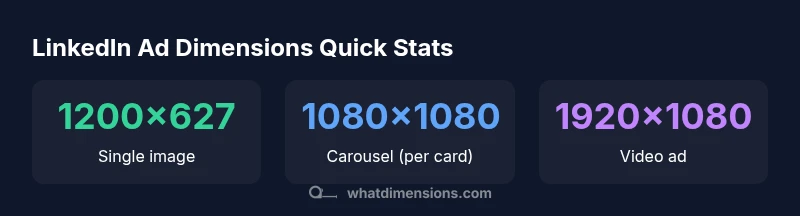
Single-image ads are the most common entry point for advertisers on LinkedIn. They rely on a strong visual hook plus concise copy. The typical recommended canvas is a landscape image with dimensions around 1200 by 627 pixels, yielding an aspect ratio of approximately 1.91:1. Using this ratio helps the asset fill the feed container without excessive letterboxing on desktop or cropping on mobile. When preparing your asset, choose high-resolution JPEG or PNG files that render cleanly at the target size and avoid overly dense textures that lose legibility at smaller scales. Keep key information, logos, and call-to-action text away from the extreme edges to prevent clipping on various devices. Color contrast is important: a bright accent against a neutral backdrop often outperforms muted palettes in fast-scrolling feeds. If you need to include textual elements, ensure they remain legible at thumbnail size, then rely on supporting copy in the ad text field to convey the full message. Finally, test variations: even minor shifts in composition, saturation, or border width can meaningfully impact engagement. What Dimensions’ tests show that assets respecting the standard dimensions tend to perform more consistently across both desktop and mobile placements, reducing the need for last-minute adjustments during launch.
Carousel ads: dimensions per card and sequencing
Carousel ads let you tell a story across up to 10 swipeable cards. The per-card image dimensions should generally be square to maintain visual consistency as users swipe. A common choice is 1080 by 1080 pixels per card, giving a clean 1:1 aspect ratio that translates well across desktop and mobile. For each card, the same sizing rules apply: crisp imagery, minimal text overlay, and a clear focal point. Since all cards share a uniform frame, keep a cohesive color palette and typography across the sequence so the narrative reads as a single asset rather than disjointed slides. A practical tip is to design a multi-panel concept with a consistent lead-in and a strong call-to-action in the final card. In practice, many teams create 4–6 cards first, then scale to 10 only if performance warrants additional storytelling. While LinkedIn supports up to ten cards, the total campaign impact often hinges on early cards delivering a strong opening hook and a crisp visual grammar that makes the rest of the sequence feel natural. What Dimensions’ experience indicates that properly sized carousel cards reduce layout shifts and improve user flow through the entire creative sequence.
Video ads: dimensions, duration, and accessibility
Video ads dominate mobile feeds when correctly sized. The standard dimension for LinkedIn video is 1920 by 1080 pixels, delivering a 16:9 aspect ratio that aligns with most consumer video content. Keep the video under LinkedIn’s recommended length (commonly short-form, 15–30 seconds) to maintain viewer attention, and ensure the first few seconds convey the core message for users who skim without sound. Optimizing the thumbnail image also matters, as it is displayed before playback. For captions, consider including on-screen text in the earliest frames to support non-sound viewing, and ensure fonts are legible against the background. Video files should be encoded in widely supported formats (MP4 or MOV) with clean audio tracks and consistent frame rates. If your asset uses dynamic text, verify that overlays remain visible on both light and dark themes and that color contrast meets accessibility standards. Video assets sized to the 16:9 frame and with legible typography tend to perform better across placements, devices, and audience segments. What Dimensions’ analysis suggests that captioning and thumbnail quality are correlated with improved completion rates and message retention in LinkedIn video campaigns.
Technical considerations: cross-placement consistency and file management
Consistency matters because LinkedIn rotates assets differently across placements and devices. When you size assets to a standard set of dimensions, your design system becomes easier to scale, review, and reuse. Maintain a centralized library of approved templates for single-image, carousel, and video assets, including alternate crops for square and mobile-specific variants. Prepare your assets with the same file naming conventions and color profiles to simplify asset QA and performance tracking. Consider device skew: what looks great on a desktop monitor can crop differently on a smartphone; avoid placing essential information near the cropping zone. In addition to size, keep file sizes within platform limits to prevent compression artifacts that degrade perceived quality. If your workflow includes dynamic or personalized creatives, maintain separate variants for different audience segments while preserving the core dimension schema. In short, a disciplined approach to dimension management reduces revamps at launch and makes it easier to compare performance across placements, campaigns, and regions. What Dimensions emphasizes that a robust asset pipeline is as important as a clever concept when aiming for scalable LinkedIn advertising success.
Workflow: asset creation, QA, and testing
From brief to launch, a disciplined workflow saves time and reduces errors. Start by locking the target dimensions for each format and building a shared asset kit that includes templates for single-image, carousel, and video. Create a quick spec sheet that lists required aspect ratios, max file sizes, and supported formats; distribute it to designers, copywriters, and developers for alignment. During QA, verify that assets render correctly on desktop and mobile in both light and dark modes, and check for unintended cropping in the feed. Leverage platform preview features or ad managers to simulate how the asset will appear in-feed, in the mobile app, and in sponsored content; use this as a gating step before final approvals. Finally, run a small test spend with a handful of assets to validate creative early, and use learnings to refine future iterations. What Dimensions finds that teams with a formal asset kit and cross-functional QA tend to scale campaigns faster, with fewer last-minute edits and improved consistency across partners.
LinkedIn ad dimensions by format
| Ad Format | Recommended Dimensions (px) | Key Notes |
|---|---|---|
| Single Image Ad | 1200x627 | 1.91:1 aspect; high visibility in feed |
| Carousel Ad (per card) | 1080x1080 | 1:1 aspect; up to 10 cards |
| Video Ad | 1920x1080 | 16:9 aspect; supports autoplay |
Quick Answers
What are the recommended LinkedIn ad dimensions for a single image?
For single image ads, use a landscape image around 1200 by 627 pixels to achieve a 1.91:1 aspect ratio. This supports consistent rendering across desktop and mobile feeds. Ensure the file is a high-quality JPG or PNG and that important elements stay within the safe area to avoid edge cropping.
For single image ads, aim for about 1200 by 627 pixels and keep important details away from the edges.
Can I reuse the same image across formats like carousel and video?
You can reuse core brand imagery, but different formats benefit from slightly adjusted crops and variations to fit each placement. Maintain a cohesive look by using the same color palette and typography across cards, and test whether square (1080x1080) or landscape crops yield better performance in carousel sequences.
It's best to tailor crops per format while keeping a consistent look.
Do LinkedIn ad dimensions differ by device?
Yes. Desktop and mobile renderings differ due to aspect ratios, safe zones, and cropping. Always verify assets on both device classes and consider creating format-specific assets or flexible designs that scale cleanly across screens.
Make sure assets look good on both phones and computers.
What file types does LinkedIn accept for ads?
LinkedIn supports common ad formats like JPG, PNG for images and MP4/MOV for videos. Use standard color profiles and avoid unusual codecs to ensure smooth playback and broad compatibility.
Stick to JPG, PNG for images and MP4 or MOV for videos.
How strict are LinkedIn's dimension guidelines?
Guidelines are important for optimal rendering and performance. While minor deviations may still display correctly, sticking to recommended dimensions helps prevent cropping, compression artifacts, and inconsistent experiences across placements.
Sticking to recommended sizes helps you avoid cropping and issues across devices.
How can I test LinkedIn ad dimensions before launching a campaign?
Use platform previews or mockups to verify appearance in feed and in mobile views. Run a small test spend with a subset of assets to check rendering, load times, and engagement before scaling up.
Preview your ads and test a small launch to catch issues early.
“"Precise sizing reduces guesswork and improves performance across placements."”
Main Points
- Follow LinkedIn's recommended dimensions for each format
- Test assets across desktop and mobile
- Keep sizes optimized and consistent across campaigns
- Use a structured asset library to scale across teams