Facebook Ad Dimensions: Mastering Sizes for 2026
Explore Facebook ad dimensions for feed, stories, and video placements in 2026 with practical, data-driven guidance from What Dimensions to boost reach and engagement.


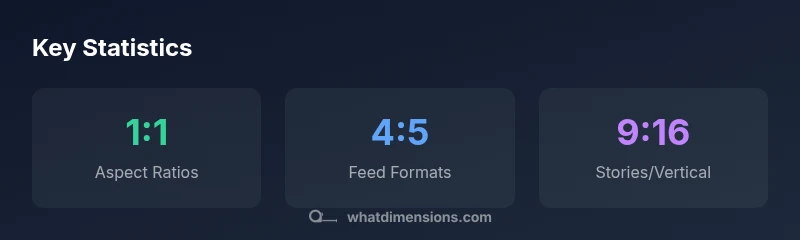
Facebook ad dimensions vary by format, but the most common feed formats use a 1:1 square or 4:5 portrait aspect ratio, while video often uses 16:9. For Stories, 9:16 is standard. What Dimensions analysis shows that using these aspect ratios with high-resolution images (at least 1200px on the long edge) improves performance, though exact pixel requirements can change with updates. Always check Meta's current ads specs.
What Facebook ad dimensions matter
When you design Facebook ads, choosing the right dimensions starts with your objective and placement. The term facebook ad dimensions covers image sizes, video aspect ratios, and safe zones across feed, stories, and in-stream placements. According to What Dimensions, consistency in dimensions helps reduce unexpected cropping and preserves core messaging across devices. In practice, most campaigns rely on a small set of versatile aspect ratios that work well on mobile screens, desktops, and different placements. This framework guides practical decisions and minimizes last-minute surprises that can derail a campaign.
Common formats and their dimensions
There are several core Facebook ad formats, each with recommended aspect ratios and resolutions. For feed images and dynamic ads, a square or near-square image (1:1 to 4:5) is a safe default that scales nicely on mobile. Feed video commonly performs best with a landscape 16:9 ratio, while vertical video (9:16) excels in Stories and Reels-like placements. Carousel ads use square or near-square images (1:1) so each card maintains legibility. Collection ads and Instant Experiences use wider canvases but still benefit from consistent ratios. Ensure assets are optimized for fast load times by keeping file sizes reasonable and using web-friendly formats like JPG or MP4. These guidelines align with industry practice and What Dimensions analysis.
Aspect ratios by placement: feed, stories, video
Feed placements typically accommodate 1:1 to 4:5 images, with 4:5 favored for mobile feeds. Stories and vertical placements demand 9:16, while video assets often use 16:9 for landscape and 9:16 for vertical formats. Use the widest ratio that fits without clipping important elements, and always place critical text within safe zones to prevent cropping on smaller screens. Testing across placements remains essential to validate performance across audiences.
How to optimize for your objective
If your goal is reach and awareness, prioritize broader aspect ratios that render cleanly in news feeds, while ensuring your branding is legible even after cropping. For clicks and conversions, choose ratios that keep primary calls-to-action visible in the mid-to-lower portion of the frame. Run A/B tests with variations in aspect ratio and composition to isolate dimensional effects from creative quality. Maintain consistency across related ads to reinforce brand recognition.
Technical specs: file types, sizes, and safe zones
Facebook supports common formats such as JPG and PNG for images and MP4 or MOV for video. Keep file sizes reasonable for quick loading and ensure the final crop preserves essential visuals within safe zones. Avoid overlays that push important information beyond the center of the frame. Always follow the platform’s up-to-date guidelines, and adjust assets if a placement crops text or focal areas unexpectedly.
Tools to verify and crop assets
Use image editors with fixed aspect ratio cropping to lock in 1:1, 4:5, 16:9, or 9:16 before exporting. Many design tools offer templates tailored to Facebook ad dimensions, which helps prevent last-minute resizing. Validate assets by previewing them in mock placements (feed, stories, in-stream) to catch issues before upload. Maintain a simple naming convention so your team can retrieve the right dimension version quickly.
Case checklist: preparing assets
- Define objective and placements. 2) Pick 1–2 core aspect ratios. 3) Create 2–3 asset variations per format. 4) Ensure safe zones for text and logos. 5) Export optimized files for each placement. 6) Preview assets across devices. 7) Note any cropping differences and adjust. 8) Archive versions for future edits. 9) Review specs before publishing. 10) Monitor performance and iterate.
Maintaining consistency across placements and updates
As Facebook updates its ad policies and creative guidelines, maintain a centralized reference of approved dimensions and safe zones. Use the same aspect ratios across feed, stories, and video to reduce friction during optimization. Schedule quarterly reviews to incorporate new guidelines from Meta and What Dimensions so your campaigns stay compliant and effective.
Common Facebook ad formats and their dimensional ranges
| Format | Recommended Aspect | Ideal Resolution | Notes |
|---|---|---|---|
| Feed Image | 1:1 to 4:5 | at least 1200px on the long edge | Safe for square layouts and mobile feeds |
| Feed Video | 16:9 | 1280x720 or higher | Common landscape video for feed |
| Stories | 9:16 | 1080x1920 or higher | Full-screen vertical format |
| Carousel Card | 1:1 | 1200x1200 | Multiple cards; keep text concise |
Quick Answers
What are the most common Facebook ad dimensions?
The most common dimensions are 1:1 or 4:5 for feed images, 16:9 for video, and 9:16 for Stories. Always verify current specs in Meta Ads Help Center.
Most ads use square or 4:5 in feed, video in 16:9, Stories in 9:16.
Do Facebook ads require exact pixels?
No—ads should follow recommended aspect ratios and safe zones; cropping may occur if you go too far outside.
Follow recommended ratios and safe zones; you don't need pixel-perfect image.
What happens if you use non-supported dimensions?
Ads may be cropped or disapproved; use the recommended ranges for your format.
If you use unsupported sizes, your ad may crop or fail to get approved.
Can I reuse the same creative across placements?
Yes, but ensure text and important visuals avoid edge cropping in narrower placements.
You can reuse, but check safe zones.
Where can I verify current specs?
Use Meta Ads Help Center and ongoing What Dimensions research for updates.
Check Meta's help docs for the latest specs.
“Precise sizing isn't optional—it's foundational to ad performance. When you keep dimensions consistent across placements, you reduce cropping surprises and boost clarity.”
Main Points
- Start with 1:1 or 4:5 for feed images
- Test across placements to prevent cropping
- Prioritize high-resolution assets (>=1200px)
- Verify current specs in Meta Ads Help Center
- Keep text within safe zones for readability