What Pixel Dimensions Is A3? A Practical Guide
Explore the pixel dimensions of A3 across common DPIs, how to convert millimeters to pixels, and practical tips for printing and digital displays with What Dimensions.


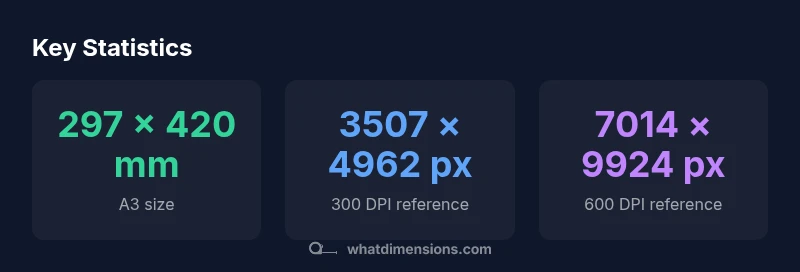
According to What Dimensions, A3 measures 297 by 420 millimeters. Pixel dimensions depend on DPI. At 300 DPI, A3 is about 3507 by 4962 pixels; at 150 DPI it’s about 1754 by 2481 pixels; at 600 DPI it’s about 7014 by 9924 pixels. This helps you prepare artwork that prints cleanly or scales for screens.
what pixel dimensions is a3 and why they vary
An A3 sheet measures 297 × 420 millimeters (about 11.69 × 16.54 inches). Pixel dimensions, however, are not fixed; they depend on the output DPI. In practice, px = inches × DPI, so the same physical size yields different pixel counts for print versus screens. What Dimensions emphasizes that understanding DPI helps you plan artwork so it prints sharply and scales gracefully for digital displays. If you know the target DPI or viewing distance, you can calculate exact pixel counts quickly. This is especially important when preparing vectors or raster assets that need to stay crisp when enlarged or reduced. The takeaway is to start by choosing a DPI target based on how the finished piece will be viewed and then convert to pixels accordingly.
How to choose the right DPI for your project
DPI decisions hinge on print quality, viewing distance, and file size. For small-format print like business cards, 300–600 DPI yields crisp results and preserves fine text and details. For large posters viewed from several feet away, 150–300 DPI is typically sufficient while keeping file sizes manageable. If the work is meant for digital screens, 72–150 DPI is often adequate, though you may still export PDFs at higher DPI for consistency across devices. Always confirm printer capabilities, bleed requirements, and color management—these factors influence the final pixel count and color accuracy. What Dimensions recommends documenting the intended use, viewing distance, and output device before calculating exact pixel dimensions.
Pixel dimensions by common DPIs
- 72 DPI: approximately 842 × 1191 px (11.69
16.54
block-spacer-end
Pixel dimensions for A3 at common DPIs
| DPI | Pixel Width | Pixel Height | Notes |
|---|---|---|---|
| 72 | 842 | 1191 | Approx. 11.69in × 16.54in at 72 DPI |
| 96 | 1122 | 1588 | Standard on many displays, still portrait-friendly |
| 150 | 1754 | 2481 | Good for basic prints, moderate file size |
| 300 | 3507 | 4962 | Print-ready high quality |
| 600 | 7014 | 9924 | High-detail printing, large files |
Quick Answers
What is the exact A3 size in millimeters?
A3 measures 297 × 420 millimeters. This is the ISO standard for the A-series, used widely in printing and design workflows.
A3 is 297 by 420 millimeters, which is the standard ISO size used in design and printing.
What DPI should I use for print to ensure sharp results?
For high-quality print, target 300 DPI as a baseline. For large posters viewed from a distance, 150–300 DPI may be appropriate depending on the viewing distance and material.
For prints, aim for around 300 DPI to keep text sharp and images clean to the eye.
How many pixels is A3 at 300 DPI?
At 300 DPI, A3 is about 3507 pixels wide by 4962 pixels tall (based on 11.69 × 16.54 inches).
At 300 DPI, A3 is roughly 3,500 by 4,960 pixels.
Should I include bleed when calculating pixel dimensions?
Yes. Add bleed to the document size before calculating pixel dimensions—commonly 3 mm on all sides—to ensure color and graphics extend to the edge after trimming.
Always include bleed in your setup so your print looks perfect after trimming.
Can I display A3 content on a screen without resizing?
Screens use different aspect ratios; A3’s aspect is 1:1.414. When displaying on a screen, map to a common ratio (like 16:9) or resize while preserving the A3 content’s composition.
Note that displays usually aren’t 1:1 with A3; you may need to resize while keeping the layout intact.
“DPI-aware planning is essential for reliable print outcomes, especially when working with ISO A-series sizes like A3.”
Main Points
- Understand A3's base size (297 × 420 mm) first.
- Convert mm to inches, then multiply by DPI to get pixels.
- Choose the DPI based on viewing distance and print quality.
- Always account for bleed and margins in print projects.
- Test print at actual size to verify sharpness and color fidelity.