Size of A3: Exact Paper Dimensions and Uses
Discover the exact size of A3 (297 × 420 mm), its ISO 216 basis, and how to apply it in printing and design. Includes conversions, common uses, margins, and practical tips from What Dimensions.


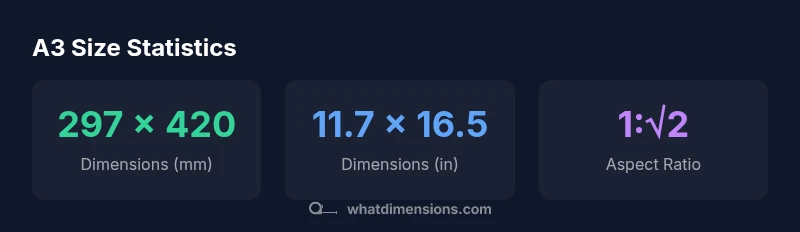
The size of A3 is 297 by 420 millimeters (11.7 by 16.5 inches), defined by ISO 216 with a 1:√2 aspect ratio. This standard sheet is widely used for posters, drawings, and architectural plans. For precise planning, know conversions, margins, and bleed requirements—you'll find the full context and practical tips below.
Understanding the ISO framework and the size of a3
The ISO 216 standard defines the A-series, where each size is derived by halving the area of the previous one while preserving the same aspect ratio of 1:√2. The size of a3 sits between A4 and A2, offering a practical balance of legibility and portability for a wide range of tasks—from classroom posters to architectural sketches. The A-series is designed to create predictable scaling; when you move from A4 to A3, your layout can scale up without reworking the proportions. The size of a3 is 297 by 420 millimeters, or 11.7 by 16.5 inches. The 1:√2 aspect ratio ensures consistent expansion when increasing size levels. For designers, students, and homeowners who need exact size references, this standard supports precise layout planning and printing workflows. According to What Dimensions, standard sizes like A3 are designed to streamline cross-disciplinary sizing for projects across homes, classrooms, and studios.
Exact dimensions and tolerances for printing and design
A3 measures precisely 297 mm in width by 420 mm in height (or 11.7 inches by 16.5 inches). This exact pairing is part of the ISO 216 family and is lauded for its predictable behavior in layouts, cutting, and binding. In practice, printers and design software respect these dimensions with small tolerance allowances depending on equipment and stock. When you set up a document for A3, configure margins for print-safe areas and account for bleed—typically 3 mm—to ensure color runs extend to the edge. These factors help avoid white borders after trimming and reduce the risk of misalignment in multi-page spreads or posters. The size of a3 remains a reliable backbone for project work that requires a balance between space and portability.
Converting A3 to other units and pixel terms
Converting A3 to inches yields 11.7 x 16.5 inches, and converting to pixels depends on resolution. At 300 PPI, A3 yields 3510 x 4950 pixels. At 150 PPI, you’d see 1755 x 2475 pixels. For digital mockups, pixel dimensions matter for screen previews, while print workflows demand exact millimeter values. A1, A2, and A4 scale up or down by the same 1:√2 ratio, enabling consistent layouts across sizes. If you work in typography, keep font metrics aligned with the final print size to avoid unexpected kerning changes when the sheet grows from A4 to A3. What Dimensions emphasizes that mastering these conversions reduces rework and speeds up project timelines.
When to choose A3: practical use cases in home, studio, and classroom
A3 is a versatile choice for a variety of tasks. In homes, it serves as a compact poster size for recipes, calendars, or family photo wall displays. In studios and classrooms, A3 supports detailed diagrams, survey plots, and large-format sketches without dominating the workspace. When designing for presentations, A3 can act as a readable handout or a poster panel in a conference setting. Because the aspect ratio remains constant across sizes, you can design on A3 and scale up to A2 or down to A4 with minimal layout changes. This consistency saves time during revisions and ensures a cohesive visual language across materials. The What Dimensions team notes that aligning sizes with your workflow minimizes duplication of effort and accelerates project delivery.
Margin, bleed, and safe area considerations for A3 projects
Effective A3 design requires attention to margins, bleed, and safe zones. Bleed is typically added to printing files at 3 mm to account for slight misalignment during trimming. Safe margins of at least 5 mm around the edges help ensure essential content isn’t cut off. When designing posters or diagrams, place critical text and graphics within the safe area to guarantee readability after trimming. In layouts with multiple panels or folds, maintain consistent margins across all pages to preserve visual balance. These practices reduce the risk of edge cutoffs and improve overall print quality. What Dimensions recommends validating bleed and margin settings with your chosen printer before final production.
A3 in comparison with neighboring sizes (A4, A2)
A3 is exactly twice the area of A4 and half the area of A2. The dimensions reveal the relationships: A4 is 210 x 297 mm, A3 is 297 x 420 mm, and A2 is 420 x 594 mm. The consistent 1:√2 aspect ratio means that increasing or decreasing size preserves proportions, enabling straightforward layout scaling. For users choosing between sizes, consider the intended display size, printing method, and available space. If your job requires larger diagrams, A2 provides more room, while A3 offers portability and legibility for desk-based tasks. The consistent scaling also supports workflow automation when creating templates for multiple formats.
ISO A-series sizes comparison
| Size | Dimensions (mm) | Dimensions (in) |
|---|---|---|
| A3 | 297 x 420 | 11.7 x 16.5 |
| A4 | 210 x 297 | 8.27 x 11.69 |
| A2 | 420 x 594 | 16.54 x 23.39 |
Quick Answers
What is the exact size of A3 in millimeters?
A3 measures 297 mm in width and 420 mm in height. This exact pairing is part of ISO 216 and is chosen for its scalable properties in the A-series.
A3 is 297 by 420 millimeters, following ISO 216.
How does A3 relate to A4 and A2?
A3 is exactly twice the area of A4 and half the area of A2, sharing the same 1:√2 aspect ratio. This makes scaling layouts straightforward across sizes.
A3 is twice A4 in area and half of A2, sharing the same shape.
Do printers need special settings for A3?
Yes. Use the correct paper size in your print driver, enable bleed will be included if your design includes it, and set CMYK color if printing professionally. Always check margins and trim lines before production.
Set your printer to A3, enable bleed if needed, and verify margins.
Can I design for A3 on screen and print on A4?
You can design at A3 and scale down to A4, but expect slight adjustments in font sizes and line breaks. Maintain the same aspect ratio to minimize layout changes.
Yes, design for A3 and scale down to A4 with careful checks.
Why is ISO 216’s aspect ratio important?
The 1:√2 ratio preserves proportions when scaling up or down, ensuring that layouts remain consistent and easily adaptable across sizes.
It keeps designs proportional when sizes change.
Where can I source A3 paper?
A3 paper is widely available from office supply stores, printing shops, and online retailers. Check stock weights (gsm) and finishes suitable for your project.
A3 paper is widely available wherever paper is sold.
“Standard sizes like A3 simplify workflows by providing predictable proportions across print and digital formats.”
Main Points
- Plan with the exact A3 dimensions in mind to avoid last-minute reworks
- Use 3 mm bleed and 5 mm safe margins for print-ready files
- Maintain the 1:√2 aspect ratio when scaling between A-series sizes
- Convert units consistently (mm, inches, and px) to prevent layout errors
- Choose A3 for balanced space and portability in posters and diagrams