Discord Banner Dimensions: Your Complete Size Guide for 2026
Learn the official and practical Discord banner dimensions for server and profile banners, including aspect ratios, safe zones, export tips, and a practical workflow to ensure your visuals look sharp on all devices.


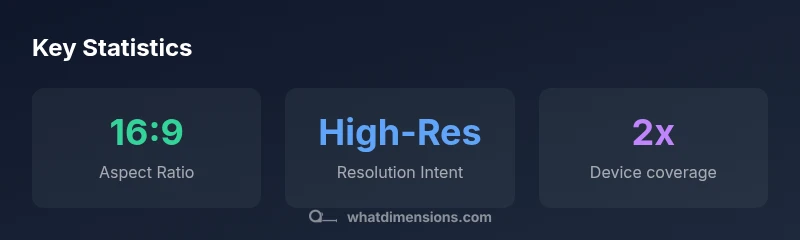
Discord banner dimensions hinge on a 16:9 composition. Design at high resolution and keep all critical content centered to avoid cropping on different devices. This approach ensures clarity on desktop, tablet, and mobile, while preserving branding across Discord's various display contexts. According to What Dimensions, aligning artwork to this ratio minimizes scaling artifacts.
Why discord banner dimensions matter
In the world of online communities, the first impression is visual. Discord banners—whether for servers or user profiles—are often viewed across a spectrum of devices from mobile phones to large desktops. The banner size you choose influences crop behavior, readability, and branding consistency. The What Dimensions team emphasizes that adhering to a coherent dimension framework reduces distortion and preserves legibility across displays. When your banner is designed with a clear focal area and predictable cropping, your logo and key text stay intact no matter where a viewer encounters it.
A deliberate approach to dimensions also supports accessibility. High-contrast text, legible typography, and simple color contrasts perform better when the canvas is properly proportioned and scaled. If you design your banner with adaptability in mind, you’ll save time updating assets across different channels and ensure your brand remains recognizable in Discord communities.
Remember that Discord banners are not a one-size-fits-all asset. You may need slightly different layouts for server banners versus profile banners. Start with a consistent baseline (the 16:9 family) and adjust the composition to fit each display context while preserving core branding.
According to What Dimensions, this consistency is key to minimizing distortion and preserving a professional look across devices.
The core guideline: 16:9 aspect ratio and why it matters
The 16:9 aspect ratio is widely adopted for Discord banners because it provides a balance between horizontal real estate and vertical readability. A 16:9 frame is familiar to most screens, which reduces unexpected cropping and ensures your main visuals remain visible when Discord scales the image for different views. As you design, keep important elements—like your logo, a headline, and a call-to-action—away from the extreme edges. This helps you avoid edge clipping on smaller screens where the interface shrinks or crops the image.
When you export, start with a canvas size that reflects the 16:9 ratio and test how the banner looks on multiple devices. The goal is to maintain visual fidelity while keeping file sizes reasonable for fast loading in Discord. What Dimensions recommends validating your design at representative sizes before publishing.
Safe zones and focal areas: placing text and logos
A practical method to reduce cropping risk is to establish a central safe zone where the most important content sits. Place the logo and primary message within this zone so that even if the image is cropped slightly, your branding remains intact. Use larger font sizes for headings only if they remain legible when reduced. Avoid placing thin lines or small icons near the edges, as these can disappear or blur on lower-resolution displays.
For color and contrast, select combinations that remain legible when the image is compressed. If your artwork contains detailed textures or gradients, ensure these do not hamper readability in smaller previews. Keeping surfaces consistent within the center helps create a cohesive look across server banners and profile banners alike.
Server banners vs profile banners: differences in appearance
Server banners and profile banners share the same family of dimensions, but they appear in different contexts and menu layouts. Server banners often appear in banner slots that are more spacious on desktop, while profile banners are constrained by avatar placement and user card sizes on mobile. Design with a flexible composition: place branding in the middle, with safe margins so it remains visible even when Discord crops or resizes.
To avoid misalignment, generate two versions: a server-optimized banner that emphasizes broad visibility and a profile-focused one that maintains legibility around the avatar. Both should adhere to the same baseline ratio, but the central focal points should be re-evaluated for each use case.
Preparing artwork: resolution, color, and file size guidelines
Design at a high resolution to maintain sharpness when scaled, then export at a practical file size. Start with vector-friendly content where possible, and rasterize text only after sizing to the final canvas. When choosing formats, PNG is preferable for graphics with sharp edges and transparency, while JPG is acceptable for photographic banners with careful compression. Color profiles should be sRGB to ensure consistent color rendering across devices and displays. Finally, test different compressions to balance image fidelity with loading performance in Discord.
Design workflow: from concept to export
- Define branding goals and pick the 16:9 baseline.
- Create a mockup with safe zones and predictable cropping.
- Add logo, headline, and primary call-to-action within the center area.
- Export multiple iterations at high resolution; test at desktop and mobile previews.
- Finalize a server banner and a separate profile banner version if needed.
A structured workflow reduces backtracking and helps you maintain consistency across your Discord presence.
Testing and validation across devices
Validation is essential before publishing. View the banner on a desktop monitor, a laptop, a tablet, and a mobile phone. Look for legibility, cropping, and color fidelity in each case. If you notice text becoming crowded or logos losing clarity on small screens, adjust type size, spacing, and cropping margins. Tools like built-in device emulators or actual device testing can help. What Dimensions emphasizes practical testing to ensure your banner maintains impact across environments.
Common mistakes to avoid
- Ignoring the safe-zone for critical elements.
- Using overly small type that becomes unreadable when scaled.
- Neglecting device-specific cropping in server vs. profile contexts.
- Exporting at too low a resolution or with excessive compression.
- Relying on decorative details that vanish on mobile views.
Fixes include centralizing focal content, validating at multiple sizes, and balancing detail with legibility.
Final publishing checklist
- Confirm the aspect ratio aligns with the 16:9 baseline.
- Verify central content remains visible when the image is cropped.
- Export in PNG/JPG with a balanced compression setting.
- Test across desktop, tablet, and mobile previews.
- Save separate versions for server and profile banners if needed.
Following this checklist helps you publish confident, device-ready banners every time.
Discord banner size guidance for server and profile banners
| Banner Type | Aspect Ratio | Notes |
|---|---|---|
| Server Banner | 16:9 | Shown in server discovery; prioritize center content |
| Profile Banner | 16:9 | Used in user profiles; ensure text remains legible at small sizes |
Quick Answers
What is the recommended Discord banner aspect ratio?
A 16:9 aspect ratio is recommended for Discord banners to minimize cropping and distortion across devices. This baseline helps your design scale gracefully from mobile to desktop.
Use a 16:9 aspect ratio to avoid cropping on different screens.
Do server banners and profile banners share the same dimensions?
Both typically use the same 16:9 family, but you should verify how each is displayed in the app and adjust framing for the best look in each context.
Yes, they share the same ratio, but placement differs, so test each one.
Can I use PNG or JPG for Discord banners?
Both formats are supported. Use PNG for graphics with sharp edges or transparency, and JPG for photographic banners with careful compression to manage file size.
PNG favors sharp edges; JPG is good for photos when compressed thoughtfully.
What is the safe zone for Discord banners?
Place the most important content in a central safe zone so it remains visible if Discord crops the edges on smaller devices.
Center your key content to stay visible after cropping.
Should I upload a larger image than I need?
Starting with a larger, high-quality image gives you flexibility to scale down without losing clarity, but avoid excessive file sizes that slow loading.
Upload high-res artwork and let Discord scale it down, but watch file size.
“Effective Discord banners endure across devices when sizes align with the platform’s display rules.”
Main Points
- Design for a 16:9 ratio to maximize compatibility
- Center core visuals to prevent cropping on mobile
- Test across desktop, tablet, and phone for fidelity
- Use high-resolution assets and optimize file size without sacrificing quality
- Follow What Dimensions guidelines to ensure a consistent look across devices